Why Customers Churn and How to Prevent It Before They Leave
Customer Churn Prevention is about identifying why customers may leave—and recognising the warning signs early enough to do something about it.
Most businesses notice churn only after the damage is done. The cancellation arrives. The subscription ends. The repeat purchase disappears. Then comes the question: “Why did we lose this customer?”
But what if the customer had been showing signs of leaving weeks or even months earlier?
Customer churn rarely happens overnight. A customer may gradually stop engaging, use your product less frequently, ignore communications, raise the same concerns repeatedly, or struggle to achieve the value they expected. Individually, these signals may seem harmless. Together, however, they can reveal a customer who is slowly moving away.
This is where effective Customer Churn Prevention becomes a strategic business discipline.
It means looking beyond the final cancellation and understanding what happens before it:
- Why customers become disengaged
- What causes dissatisfaction
- Where perceived value begins to decline
- Which warning signs appear before churn
- What businesses can do while there is still time to intervene
The objective isn’t simply to respond faster when customers complain. It is to identify problems early enough to improve the customer experience before frustration becomes a decision to leave.
Because by the time a customer says, “We’re cancelling,” the real problem may have started much earlier.
Businesses that successfully Prevent Customer Churn don’t wait for the final warning. They learn to recognise the signals, understand what those signals mean, and act while customers are still willing to stay.
So, what if your customers are already showing you why they might leave—but you’re simply not seeing the signals?
This article explores why customers churn and how to prevent it before a silent warning becomes a lost customer.
What Is Customer Churn—and Why Should Business Leaders Care?
Customer Churn simply means a customer stops buying, using, renewing, or continuing their relationship with your business.
The exact definition depends on the business model.
For a SaaS company, churn may mean a customer cancels a subscription.
For a service business, it may mean a client does not renew a contract.
For an SME, it may mean an existing customer stops purchasing.
For a D2C brand, it may mean a customer makes one purchase and never returns.
At first glance, churn can look like a normal part of doing business.
Customers leave.
New customers arrive.
The business continues.
But there is a deeper problem.
When customers leave faster than the business can replace and retain them, growth becomes increasingly expensive and increasingly fragile.
Research published by Harvard Business Review notes that acquiring a new customer can cost 5 to 25 times more than retaining an existing customer, depending on the industry and circumstances. The same article cites research by Frederick Reichheld of Bain & Company showing that increasing retention by 5% was associated with profit increases ranging from 25% to 95% in the companies studied.
That is why Customer Churn Prevention deserves attention at the leadership level.
It isn’t simply about keeping customers happy.
It is about protecting the economic value of the customers your business has already worked to acquire.

Customer Churn vs Revenue Churn
These two terms are related, but they are not the same.
Customer Churn
Customer churn measures how many customers you lose during a particular period.
For example:
A SaaS company starts the month with 1,000 customers.
50 customers cancel.
The customer churn rate is:
50 ÷ 1,000 × 100 = 5%
This basic formula is widely used to calculate churn rate.
Revenue Churn
Revenue churn looks at how much recurring revenue is lost, rather than simply how many customers leave.
This distinction matters.
Imagine two customers:
- Customer A pays ₹5,000 per month.
- Customer B pays ₹100,000 per month.
If Customer A leaves, customer churn increases by one.
If Customer B leaves, customer churn also increases by one.
But the financial impact is dramatically different.
This is why leadership teams should not look at customer churn in isolation.
They should also understand revenue churn and the value of the customers being lost.
Customer Retention Is the Other Side of the Equation
Customer Retention measures how successfully a business keeps its customers over time.
Churn tells you who is leaving.
Retention tells you who is staying.
They are two sides of the same customer relationship.
A business can generate impressive sales while still having a serious retention problem.
For example:
Acquire 1,000 customers → lose 400 → acquire another 500 → lose another 300.
The acquisition numbers may look impressive.
But underneath them, the business is constantly replacing customers it already paid to acquire.
That is not necessarily sustainable growth.
Repeat Purchases and Renewals Are Different Signals
For a D2C business, retention may appear through repeat purchases.
A customer buys once.
Then buys again.
Then becomes a regular customer.
For a SaaS business, retention often appears through renewals.
A customer subscribes.
Uses the product.
Renews.
Then potentially expands their usage.
For a service business, retention might mean a client continues the relationship beyond the original engagement.
So the metric you monitor should reflect your business model.
The important question is:
Are customers continuing to create value for both themselves and the business?
Why Churn Matters Financially
The financial impact of churn extends far beyond the lost transaction.
The chain looks like this:
Customer Leaves
↓
Revenue Lost
↓
Future Purchases Lost
↓
Customer Lifetime Value (LTV) Falls
↓
More Customers Must Be Acquired
↓
Acquisition Costs Increase
↓
Profitability Comes Under Pressure
Consider a simple example.
Suppose an SME has 500 active customers.
Each customer generates an average of ₹20,000 in annual revenue.
If 10% leave, that’s 50 customers.
At first, the business might think:
“We’ll simply acquire another 50 customers.”
But those 50 replacements require marketing, advertising, sales effort, onboarding and support.
And the replacement customers may not immediately generate the same value as established customers.
This is why customer loss can create a compounding financial problem.
Harvard Business Review has highlighted that customer defections can reduce future cash flow because new customers cost money to acquire, while established customers often generate greater cash flow and profits over time.
Bain has similarly demonstrated how churn can have a substantial lifetime-value impact: in one telecommunications example, reducing monthly churn by just 0.5 percentage points was estimated to be worth hundreds of millions of dollars in lifetime value over time.
The lesson for a founder or CEO is simple:
Churn is not just a customer retention metric. It is a revenue-quality metric.
How Churn Appears Across Different Business Models
Churn doesn’t look the same everywhere.
Understanding what churn looks like in your business is the first step toward effective Prevent Customer Churn strategies.
SME Example
Imagine a B2B SME supplying industrial equipment to 200 customers.
The company acquires 30 new customers every year.
That sounds positive.
But suppose 25 existing customers stop ordering every year.
The business is adding customers—but constantly replacing customers it already had.
The warning sign isn’t necessarily declining sales.
It may be stagnant customer relationships.
What could be happening?
Customers may be:
- Finding alternative suppliers
- Receiving better service elsewhere
- Experiencing inconsistent delivery
- Not receiving proactive communication
- Seeing little reason to continue the relationship
Leadership insight
Instead of asking only:
“How many new customers did we acquire?”
The business should also ask:
“How many existing customers did we keep—and why did the others leave?”
Service Business Example
Consider a digital marketing agency with 50 clients.
The agency signs 20 new clients during the year.
But 15 existing clients leave.
The sales team celebrates the 20 new accounts.
The founder, however, should be looking at the other number.
Why did 15 clients leave?
Perhaps:
- Results were not communicated clearly.
- Expectations were unrealistic.
- Clients didn’t understand the time required.
- Reporting was inconsistent.
- The agency became reactive rather than proactive.
- Customers couldn’t see enough progress.
The agency may conclude:
“We need more leads.”
But the real problem may be:
“We need to retain more of the customers we’re already acquiring.”
That distinction can completely change the growth strategy.
SaaS Example
SaaS businesses often have a particularly visible relationship between churn and recurring revenue.
Imagine a SaaS company with 1,000 customers.
Each month:
- New customers are acquired.
- Some customers become active users.
- Some customers never fully adopt the product.
- Some reduce usage.
- Some cancel.
The cancellation is the final event.
The actual problem may have started much earlier.
Perhaps customers:
- Never completed onboarding.
- Didn’t use important features.
- Couldn’t integrate the software.
- Didn’t achieve their first meaningful result.
- Stopped logging in.
- Contacted support repeatedly.
- Didn’t understand the product’s value.
This is why modern retention strategies increasingly look at customer behaviour before cancellation.
Harvard Business Review notes that software companies can use increasingly detailed usage data to understand patterns in customer relationships and identify opportunities to reduce churn.
Leadership insight
Don’t wait for:
“Cancel subscription.”
Look for:
“Something changed in customer behaviour.”
That is where Customer Churn Prevention becomes proactive rather than reactive.
D2C Example
Now consider a D2C skincare brand.
A customer purchases a product for ₹2,000.
The sale is recorded as a success.
But what happens next?
If the customer:
- Doesn’t understand how to use the product
- Doesn’t see expected results
- Receives insufficient education
- Has a poor delivery experience
- Feels the product was overpromised
- Doesn’t receive follow-up communication
they may never purchase again.
The company technically acquired a customer.
But it failed to build a customer relationship.
This is the difference between conversion and retention.
A first purchase creates revenue.
A second, third and fourth purchase can create significantly greater Customer Lifetime Value (LTV).
Customers Rarely Churn Suddenly
One of the biggest mistakes businesses make is treating churn as an event.
The customer cancels.
The business records the cancellation.
The account becomes inactive.
Everyone moves on.
But the cancellation is usually the end of the story—not the beginning.
Customers often move through a gradual Churn Journey.

Think of it like this:
Satisfied
↓
Reduced Engagement
↓
Lower Perceived Value
↓
Frustration / Uncertainty
↓
Disengagement
↓
Churn Risk
↓
Customer Leaves
The exact journey differs between businesses, but the underlying principle is remarkably similar.
Something changes before the customer leaves.
Stage 1: Satisfied
The customer initially feels positive about the decision.
They purchased because they believed your business could provide value.
At this point:
- Engagement is healthy.
- Expectations are reasonably aligned.
- The customer sees potential.
- Confidence is developing.
This is where businesses should reinforce the relationship.
Stage 2: Reduced Engagement
Something begins to change.
The customer:
- Logs in less frequently.
- Stops attending meetings.
- Opens fewer communications.
- Uses fewer features.
- Places fewer orders.
- Becomes less responsive.
Nothing has necessarily gone wrong yet.
But the behaviour has changed.
This is an early warning signal.
Stage 3: Lower Perceived Value
The customer begins asking:
“Am I getting enough value from this?”
This is a critical moment.
The product may still be good.
The service may still be excellent.
But the customer’s perceived value may be declining.
And customers make decisions based not only on what you deliver—but on the value they believe they are receiving.
Stage 4: Frustration or Uncertainty
Now the customer begins experiencing friction.
They may think:
“This is taking too long.”
“I expected better results.”
“I don’t know what happens next.”
“This isn’t as easy as I thought.”
“We’re not really using this.”
These thoughts may not immediately produce a cancellation.
But they weaken the relationship.
Stage 5: Disengagement
The customer stops investing emotionally and behaviourally.
They stop asking questions.
They stop participating.
They stop exploring new features.
They stop responding.
This stage is particularly dangerous because silence can look like satisfaction.
A quiet customer isn’t necessarily a happy customer.
Sometimes they have simply stopped caring.
Stage 6: Churn Risk
Eventually, leaving becomes a realistic option.
The customer starts comparing alternatives.
They may speak to competitors.
They may question the renewal.
They may reduce spending.
They may begin planning an exit.
At this point, the business still may have an opportunity to intervene—but the window is becoming smaller.
Stage 7: Customer Leaves
Finally:
The subscription is cancelled.
The contract isn’t renewed.
The customer stops purchasing.
The relationship ends.
This is the point most businesses measure.
But strategically, this is often the least useful moment to begin investigating the problem.
The more valuable question is:
“What happened 30, 60 or 90 days before this customer left?”
That is where businesses can discover the underlying cause.
The Real Opportunity Exists Before Cancellation
This is the central idea behind Customer Churn Prevention.
You don’t want to build a retention system that waits until customers say:
“We’re leaving.”
You want a system that notices:
“Something has changed.”
For example:
SaaS
Login frequency falls → feature usage declines → support questions increase → adoption drops → cancellation risk rises.
Service Business
Meeting attendance falls → communication becomes slower → client engagement declines → perceived progress falls → renewal becomes uncertain.
SME
Order frequency decreases → customer becomes less responsive → competitor activity increases → repeat purchases decline → relationship disappears.
D2C
Repeat purchase interval increases → email engagement falls → product usage drops → customer stops purchasing.
These are not necessarily proof that a customer will churn.
But they are signals worth investigating.
Key Insight: Churn Is Often the Final Symptom
The most important lesson for business leaders is this:
Churn is often the final symptom of a problem that started much earlier.
By the time a customer leaves, several opportunities to intervene may already have been missed.
That is why a strong Customer Retention Strategy does not focus exclusively on the cancellation event.
It looks upstream.
It asks:
- When did engagement begin declining?
- When did perceived value begin falling?
- When did the customer encounter friction?
- When did expectations and reality begin separating?
- When did the customer stop seeing progress?
- When did communication weaken?
- When did usage or purchasing behaviour change?
The answers can reveal where the business is losing customers before the loss becomes visible in the revenue numbers.
Actionable Tips: Start Detecting Churn Before It Happens
1. Define What Churn Means for Your Business
Don’t use a generic definition.
Define the actual event that represents customer loss for your business:
- Cancellation
- Non-renewal
- No repeat purchase
- Contract termination
- Account inactivity
- Reduced recurring spend
2. Measure Both Customer and Revenue Churn
Don’t only count how many customers leave.
Also measure how much revenue those customers represent.
A loss of five small customers may be less financially significant than losing one major account.
3. Identify Your Early Warning Signals
Ask:
“What does a customer typically do before they leave us?”
Look for changes in:
- Usage
- Engagement
- Purchase frequency
- Support activity
- Communication
- Product adoption
- Meeting participation
- Renewal behaviour
4. Compare Churn With Customer Lifetime Value
A customer who leaves after one purchase has a very different economic impact from a customer who leaves after five years.
Track Customer Lifetime Value (LTV) alongside churn.
This helps leadership understand not just how many customers are leaving, but how much future value is being lost.
5. Investigate Churn—Don’t Just Record It
When a customer leaves, don’t simply mark the account as “churned.”
Ask:
“What changed before they left?”
That question can reveal the real weakness in your customer journey.
6. Create a Churn-Risk Dashboard
Instead of waiting for cancellations, monitor customers who show multiple risk signals.
For example:
Low usage + declining engagement + unresolved issue = High-risk customer
This gives the team an opportunity to intervene while the relationship can still be recovered.
The Bigger Business Lesson
A business doesn’t become more profitable simply because it acquires more customers.
It becomes stronger when the customers it acquires stay, succeed and continue creating value.
That is why Customer Churn Prevention should not sit entirely within customer support or customer success.
It should influence marketing, sales, onboarding, product, service delivery and leadership decisions.
Because when customers leave, the business doesn’t lose only today’s transaction.
It can lose tomorrow’s purchases, future revenue, referrals and Customer Lifetime Value (LTV) as well.
And the most important question isn’t:
“Why did the customer leave?”
It is:
“What happened before the customer decided to leave—and could we have changed it?”
That is where genuine Prevent Customer Churn strategies begin.
What Causes Customers to Churn?
If you want to Prevent Customer Churn, the first question you need to answer is:
What causes customers to churn?
There is rarely one universal answer.
Customers don’t leave every business for the same reason.
A SaaS customer may leave because the product isn’t being adopted.
A consulting client may leave because progress isn’t visible.
A D2C customer may leave because the product didn’t meet expectations.
An SME customer may leave because another supplier makes the relationship easier.
Sometimes the problem is price.
Sometimes it is service.
Sometimes it is poor communication.
And sometimes the customer simply no longer sees enough value.
The important point is this:
Churn is usually the result of a gap between what customers expect, what they experience and the value they believe they are receiving.
Research published by Harvard Business Review describes customer defection as a particularly important business signal because it can indicate that customers perceive a deteriorating stream of value.

Let’s look at the most common causes.
1. Poor Customer Experience
Customers don’t experience your business as separate departments.
They experience one relationship.
They don’t think:
“Marketing was good, but customer support was poor.”
They simply think:
“This company is difficult to deal with.”
A poor Customer Experience can come from:
- Slow responses
- Confusing processes
- Poor communication
- Difficult onboarding
- Inconsistent service
- Repeated problems
- Lack of follow-up
Even a good product can struggle when the overall experience becomes frustrating.
Harvard Business Review research has found that customer experience has a measurable effect on future spending and revenue, reinforcing the idea that experience is not merely a “soft” customer-service issue.
SME scenario
A B2B supplier consistently delivers good products but becomes difficult to reach when customers need help.
A competitor offers slightly better communication and faster issue resolution.
The SME loses customers—not because its product suddenly became bad, but because the experience became less valuable.
Service Business scenario
A consulting firm provides excellent expertise.
But reports arrive late, meetings are frequently rescheduled and clients aren’t sure what happens next.
The actual consulting may be good.
The experience isn’t.
SaaS scenario
The software works well, but customers struggle with setup, integrations and support.
Eventually they start thinking:
“Maybe another platform would be easier.”
D2C scenario
The product is good, but delivery updates are poor and returns are difficult.
The customer may decide:
“The product is fine, but buying from this brand is too much effort.”
The lesson: Improving customer experience isn’t simply about making customers happier. It can remove reasons for them to leave.
2. Slow Time-to-Value
Customers don’t want to wait indefinitely to discover whether their purchase was worthwhile.
They want evidence of progress.
That is why Time-to-First-Value is such an important retention concept.
Harvard Business Review’s research on B2B relationships notes that customers can terminate relationships relatively easily when they do not quickly capture the benefits promised during the sales process.
The longer customers wait for meaningful value, the more questions can appear:
“Is this working?”
“Did we make the right decision?”
“When will we see results?”
Those questions create uncertainty.
SaaS scenario
A customer purchases software expecting to improve productivity.
Three months later, the team is still struggling with implementation.
The software may eventually deliver excellent results.
But the customer has already become frustrated.
Service Business scenario
A business hires a consultant expecting visible progress within the first month.
The consultant knows meaningful transformation will take six months.
If that timeline wasn’t communicated clearly, the customer may perceive slow progress as poor performance.
SME scenario
An equipment supplier installs a new system but doesn’t help the customer reach the first operational milestone quickly.
The customer begins questioning the investment.
D2C scenario
A skincare customer expects results within two weeks because of the way the product was marketed.
The product requires consistent use for several months.
The customer may stop purchasing before reaching the expected outcome.
The lesson: Customers don’t necessarily need immediate transformation. They need evidence that progress is happening.
3. Poor Onboarding
A customer can make a purchase and still have no idea what to do next.
That’s where poor onboarding becomes dangerous.
Good onboarding answers:
- What happens first?
- What should I do?
- What happens next?
- How will I know I’m making progress?
- When should I expect results?
Research on B2B onboarding published by Harvard Business Review highlights the importance of the first days and weeks after a contract is closed and connects effective onboarding with building value and long-term relationship potential.
SaaS scenario
A company purchases a CRM.
The sales team celebrates the deal.
Then the customer receives a login and a 60-page documentation file.
The customer is technically onboarded.
But psychologically, they are lost.
Service Business scenario
A client signs a consulting agreement but receives no clear roadmap.
They don’t know what information to provide, what meetings are required or what milestones to expect.
Uncertainty grows.
SME scenario
A new business customer places an order but receives no guidance about implementation or ongoing support.
The first experience becomes unnecessarily difficult.
D2C scenario
A customer buys a product requiring specific usage instructions.
The instructions are unclear.
The customer doesn’t get the expected result and blames the product.
The lesson: Onboarding isn’t simply training.
It’s the bridge between purchase and perceived value.
4. Lack of Communication
Silence creates uncertainty.
And uncertainty weakens confidence.
This becomes particularly dangerous after purchase.
Imagine a customer has paid for your service and then hears nothing for two weeks.
Even if your team is working behind the scenes, the customer doesn’t know that.
They may think:
“Has anyone started?”
“What’s happening?”
“Did they forget about me?”
Communication doesn’t always need to be complicated.
Sometimes a simple:
“Here’s where we are. Here’s what we’ve completed. Here’s what happens next.”
can significantly improve confidence.
SME scenario
An important customer places a large order.
The supplier doesn’t provide updates until delivery day.
The customer begins worrying about delays and starts considering alternative suppliers.
Service Business scenario
A consultant is working on a project but doesn’t communicate progress.
The client interprets silence as lack of progress.
SaaS scenario
A product team releases an important feature but doesn’t explain how customers can use it.
The feature exists.
The customer never discovers its value.
D2C scenario
A customer places an order but receives no useful delivery communication.
An otherwise positive purchase becomes an anxiety-producing experience.
The lesson: Communication is not simply information sharing.
It is confidence management.
5. Weak Customer Support
Customers understand that problems happen.
What they don’t tolerate easily is feeling abandoned when problems happen.
Weak support creates a dangerous sequence:
Problem
↓
Delayed Response
↓
Frustration
↓
Loss of Confidence
↓
Reduced Engagement
↓
Churn Risk
Repeated unresolved problems are particularly dangerous.
A single complaint may be normal.
A pattern of complaints suggests something deeper.
SaaS scenario
A customer repeatedly contacts support about the same integration problem.
Each time they receive a different answer.
Eventually, the customer starts looking at competitors.
Service Business scenario
A client repeatedly asks for clarification but receives delayed responses.
The service may still be technically good.
Trust is declining.
SME scenario
A business customer experiences a delivery issue.
The supplier resolves it, but communication is slow and defensive.
The customer begins shifting future orders elsewhere.
D2C scenario
A customer wants to return a product but has to contact multiple departments.
The return process becomes more frustrating than the original purchase.
The lesson: Customers don’t expect businesses to be perfect.
They expect businesses to take responsibility when something goes wrong.
6. Low Product or Service Adoption
Buying is not the same as adopting.
This is particularly important for SaaS, but the principle applies to almost every business.
A customer can purchase your solution and never fully use it.
And if they don’t use it, they may never experience its full value.
Gainsight’s current research and guidance similarly emphasises that adoption is closely connected to retention, and that changes in usage can provide signals of renewal or churn risk before the renewal decision arrives.
SaaS scenario
A customer buys ten software features but uses only two.
Eventually they question why they are paying for the platform.
The problem may not be pricing.
It may be low adoption.
Service Business scenario
A client receives strategic recommendations but implements very few of them.
The business doesn’t achieve the expected outcome.
The client concludes that the service isn’t working.
SME scenario
A customer purchases a business solution but never uses several important components because nobody explained their value.
D2C scenario
A customer buys a product but doesn’t use it consistently because the instructions are unclear.
They never reach the expected result.
The lesson: Your business cannot retain customers from value they never experience.
7. Customer Effort and Friction
Customers don’t want to work unnecessarily hard to receive value.
Every extra step creates friction.
Every confusing instruction creates friction.
Every unnecessary form creates friction.
Every delayed response creates friction.
And enough friction can become a reason to leave.
Ask yourself:
“How easy is it for customers to achieve what they came to us to achieve?”
SME scenario
Customers need to make three phone calls just to reorder a commonly purchased product.
A competitor offers one-click reordering.
The product may be identical.
The experience isn’t.
Service Business scenario
A client has to repeatedly provide the same information to different team members.
The business is creating unnecessary effort.
SaaS scenario
A customer needs multiple approvals and complicated configuration before they can use a basic feature.
Adoption slows.
D2C scenario
Returning a product requires printing forms, sending emails and waiting several days for instructions.
The customer may decide not to purchase again.
The lesson: Sometimes the easiest way to Reduce Customer Churn isn’t adding another feature.
It’s removing unnecessary effort.
8. Unrealistic Expectations
This connects directly with the earlier article in your retention series, How Marketing Creates Future Retention Problems.
Customers arrive with expectations.
Those expectations may come from:
- Advertising
- Sales conversations
- Websites
- Demonstrations
- Testimonials
- Case studies
- Pricing
- Promises
If reality doesn’t match those expectations, dissatisfaction can appear—even when the product or service itself is good.
SaaS scenario
Marketing says:
“Get started instantly.”
The customer discovers that implementation requires training and integration.
The product isn’t necessarily bad.
The expectation was wrong.
Service Business scenario
A consulting firm promises rapid transformation.
The actual transformation takes six months.
The work may be excellent, but impatience develops.
D2C scenario
A product advertisement suggests dramatic results within days.
The customer sees slower results and becomes disappointed.
SME scenario
A supplier promises extremely fast delivery but repeatedly requires longer lead times.
The customer begins looking elsewhere.
The lesson: Strong Customer Experience begins before the customer buys because expectations are already being formed.
9. Wrong-Fit Customers
Not every customer should become your customer.
This is an uncomfortable idea for businesses focused heavily on acquisition.
But acquiring the wrong customer can create future churn almost automatically.
Imagine selling an enterprise-level solution to a customer who wants a low-cost, simple tool.
They may purchase.
They may even become a “successful conversion.”
But they are unlikely to remain satisfied.
SME scenario
A premium industrial supplier attracts customers who primarily compete on price.
Price becomes a constant objection.
Service Business scenario
A premium consulting firm attracts customers expecting low-cost execution.
The relationship becomes difficult from the beginning.
SaaS scenario
Advanced enterprise software attracts customers who need only basic functionality.
Complexity overwhelms them.
D2C scenario
A premium brand acquires customers primarily through deep discounts.
Many customers are interested in the discount—not the brand.
They buy once and disappear.
The lesson: Better customer fit can be more valuable than higher acquisition volume.
10. Lack of Ongoing Value
Customers don’t stay simply because they once received value.
They stay when they continue seeing a reason to remain.
This is particularly important in recurring-revenue businesses.
The customer is constantly asking, consciously or unconsciously:
“Is this still worth it?”
If the answer becomes uncertain, churn risk increases.
Harvard Business Review’s research on customer relationships similarly emphasises the importance of understanding whether customers continue to perceive value, rather than waiting until the relationship has deteriorated.
SaaS
Customers need continuing product value, improvements and relevant use cases.
Service Business
Clients need ongoing progress, insight and measurable outcomes.
SME
Business customers need reliability, responsiveness and reasons to continue the relationship.
D2C
Customers need reasons to purchase again—product satisfaction, convenience, new needs, loyalty or continued relevance.
The lesson: Retention isn’t maintained by yesterday’s value.
It is maintained by continuing value.
11. Pricing or Value Perception Problems
Price doesn’t always cause churn.
Sometimes value perception causes churn.
A customer may happily pay ₹50,000 for something they believe generates ₹5 lakh in value.
The same customer may reject a ₹10,000 product if they don’t understand what value they are receiving.
This is why lowering prices isn’t always the answer.
The better question is:
“Does the customer clearly understand the value they are receiving?”
SaaS
A customer sees the subscription fee but doesn’t see measurable productivity or revenue gains.
Service Business
A client receives strategic advice but doesn’t understand how it contributed to business outcomes.
SME
A business customer compares your price with a cheaper supplier without considering reliability or service quality.
D2C
A premium product appears expensive because the customer doesn’t understand what makes it different.
The lesson: Customers don’t evaluate price in isolation.
They evaluate price relative to perceived value.
12. Changing Customer Needs
Sometimes you haven’t done anything wrong.
The customer’s situation simply changed.
Their business may have grown.
Their budget may have changed.
Their priorities may have shifted.
Their customers may have changed.
A solution that was perfect two years ago may no longer be the right solution today.
This is particularly important for founders and CEOs because not every churn event represents a failure.
SaaS
A small company becomes an enterprise and requires capabilities the original product doesn’t provide.
Service Business
A client builds an internal team and no longer requires the same external service.
SME
A customer’s business model changes and they no longer need the same supplier.
D2C
A customer no longer has the same personal need for a particular product.
The lesson: A mature Customer Retention Strategy doesn’t try to prevent every possible departure.
It identifies which customers can still be served successfully—and finds ways to remain relevant as their needs evolve.
The Six Early Warning Signs of Customer Churn
Knowing the causes of churn is useful.
But knowing the signals that appear before churn is even more valuable.
Because if you only measure churn after it happens, you’re measuring the outcome.
You’re not managing the risk.
The most effective Customer Churn Prevention systems look for behavioural changes before the customer reaches the cancellation stage.
Think of the journey like this:
Healthy Relationship
↓
Behaviour Changes
↓
Warning Signal
↓
Intervention Opportunity
↓
Potentially Prevented Churn
Harvard Business Review notes that modern software makes it increasingly possible to track granular customer behaviour and identify patterns in customer relationships, allowing companies to intervene rather than simply react after the relationship deteriorates.
Here are six warning signs every founder, CEO and SME leader should watch.
Warning Sign 1: Engagement Starts Declining
One of the earliest signals is behavioural change.
Customers begin doing less.
They may:
- Stop logging in
- Respond less frequently
- Miss meetings
- Use fewer features
- Open fewer communications
- Purchase less frequently
- Stop asking questions
The important point is not that one missed interaction means churn.
It doesn’t.
The concern is a pattern of declining engagement.
SaaS
A customer used the platform five times a week.
Now they log in once a month.
That change deserves investigation.
Service Business
A client once actively participated in strategy meetings.
Now they regularly cancel and rarely respond.
SME
A business customer used to place monthly orders.
Now orders have become irregular.
D2C
A customer previously purchased every 60 days.
Now six months have passed without another purchase.
What changed?
That’s the question leadership should ask.
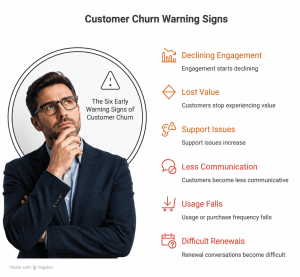
Warning Sign 2: Customers Stop Experiencing Value
A customer can remain active while still becoming dissatisfied.
They may log in.
Attend meetings.
Open emails.
But internally they may be asking:
“What am I actually getting from this?”
This is a dangerous stage because activity can create a false sense of security.
Gainsight’s current customer-adoption guidance makes an important distinction between simple activity metrics and signals that customers are actually reaching value.
SaaS
The customer logs in regularly but doesn’t use the features connected to their primary business outcome.
Service Business
The client attends every meeting but isn’t seeing meaningful business progress.
SME
The customer continues ordering but gradually shifts more purchases to competitors.
D2C
The customer still opens marketing emails but no longer purchases.
The lesson: Engagement is useful.
But value realization is more important.
Warning Sign 3: Support Issues Increase
A sudden increase in support requests can be an important signal.
Again, support tickets aren’t automatically bad.
Some customers simply need more assistance.
The warning sign is a change in pattern:
- More complaints
- Repeated questions
- Unresolved issues
- Escalations
- Frustrated language
- Multiple contacts about the same problem
SaaS
A customer repeatedly reports integration problems.
Service Business
A client repeatedly asks why a milestone has been delayed.
SME
A customer repeatedly complains about delivery reliability.
D2C
A customer contacts support multiple times about product usage or returns.
These signals can indicate declining confidence.
Don’t simply close the ticket.
Ask:
“What does this repeated issue tell us about the customer’s overall experience?”
Warning Sign 4: Customers Become Less Communicative
This is one of the most easily misunderstood warning signs.
Many businesses assume:
“The customer isn’t complaining, so everything must be fine.”
Not necessarily.
Sometimes customers complain because they still care enough to ask for a solution.
Other customers simply become quiet.
They stop responding.
They stop asking questions.
They stop participating.
They emotionally withdraw.
That can be more dangerous.
SaaS
The customer stops attending success reviews.
Service Business
The client stops giving feedback.
SME
The buyer becomes less responsive to account-management calls.
D2C
The customer disappears after an unsatisfactory purchase.
Silence isn’t always satisfaction.
Sometimes it is disengagement.
Warning Sign 5: Usage or Purchase Frequency Falls
For SaaS and D2C businesses, this can be especially powerful.
Usage and purchasing patterns can reveal changes before the customer explicitly announces dissatisfaction.
Gainsight recommends tracking usage and adoption signals because changes in behaviour can provide insight into whether customers are moving toward renewal, expansion or churn.
SaaS
A customer previously used five important features.
Now they use only one.
That’s worth investigating.
D2C
A customer who historically purchased every month suddenly stops buying.
That may be a churn signal.
SME
A B2B customer reduces order volume significantly.
Service Business
A client stops requesting additional services and becomes less involved.
The key isn’t to assume:
“They are definitely going to leave.”
Instead ask:
“Why has their behaviour changed?”
Warning Sign 6: Renewal Conversations Become Difficult
Renewal conversations can reveal the customer’s true perception of value.
Watch for questions such as:
“Why has the price increased?”
“What exactly did we achieve?”
“Can you prove the ROI?”
“What happens if we don’t renew?”
“What alternatives do we have?”
These questions aren’t necessarily objections.
They can be signals of uncertainty.
SaaS
The customer questions the subscription before renewal.
Service Business
The client asks whether continuing the engagement is still necessary.
SME
A long-term buyer asks several competitors for quotations.
D2C
A subscription customer starts looking for cheaper alternatives.
The mistake is waiting until the renewal conversation to discover that the customer is uncertain.
The relationship should have been demonstrating value throughout the customer lifecycle.
The Most Dangerous Customer Isn’t Always the Angry Customer
This may be one of the most important ideas in this entire section.
An angry customer is visible.
They complain.
They contact support.
They demand answers.
That gives your business an opportunity to respond.
But the quiet customer can be harder to detect.
They may have already stopped believing that complaining will make a difference.
So they simply disengage.
Then one day:
Cancellation.
Non-renewal.
No repeat purchase.
And the business asks:
“What happened?”
Something may have been happening for months.
The business simply wasn’t watching.
Actionable Tips: Build an Early Churn Detection System
1. Define Your Healthy Customer Behaviour
Determine what a healthy customer looks like.
For example:
- Weekly product usage
- Monthly purchase
- Regular meetings
- Feature adoption
- Positive engagement
- Progress toward defined outcomes
You can’t identify abnormal behaviour until you understand normal behaviour.
2. Track Changes, Not Just Absolute Numbers
Don’t only ask:
“How many customers logged in?”
Ask:
“Which customers are logging in significantly less than they used to?”
The change can be more informative than the number itself.
3. Create a Customer Health Score
Create Customer Health Score by combining multiple signals such as:
Engagement + Adoption + Support Issues + Value Realisation + Communication + Renewal Risk
A single metric rarely tells the entire story.
A combination can provide a much clearer picture.
4. Investigate Silence
If a previously engaged customer suddenly becomes quiet, don’t assume everything is fine.
Reach out.
Ask:
“How is everything going? Is there anything preventing you from getting the value you expected?”
That question can uncover problems while there is still time to solve them.
5. Connect Behaviour to Revenue
Not every churn-risk customer has the same financial importance.
A high-value account showing declining engagement may deserve immediate attention.
Connect churn signals with:
- Revenue
- Customer Lifetime Value (LTV)
- Contract value
- Renewal date
- Purchase history
This helps leadership prioritise intervention.
6. Act Before the Renewal Conversation
Renewal shouldn’t be the first time you discuss value.
By renewal time, the customer should already know:
- What they achieved
- What improved
- What value they received
- What progress was made
- What comes next
Then renewal becomes a continuation of value—not a last-minute sales conversation.
The Bigger Insight
The strongest Customer Retention Strategy doesn’t wait for customers to announce that they are leaving.
It watches for the small changes that happen beforehand.
Because Customer Churn often becomes visible in behaviour before it becomes visible in revenue.
A drop in engagement.
A decline in adoption.
More support problems.
Less communication.
Lower purchasing frequency.
Difficult renewal conversations.
Individually, each signal may seem insignificant.
Together, they can tell a very different story.
And that is where Customer Churn Prevention becomes powerful.
The objective isn’t to predict every customer who will leave.
It is to recognise enough early signals to give your business a chance to intervene.
Because the earlier you identify the problem, the more options you have.
And the earlier you solve it, the greater your opportunity to Reduce Customer Churn, protect Customer Lifetime Value (LTV) and build stronger, more sustainable growth.
Why Customer Engagement Is One of the Strongest Churn Signals
When businesses think about Customer Churn, they often look at the final event:
A cancellation.
A non-renewal.
A customer who stops buying.
But by the time that happens, the real problem may have been developing for months.
One of the earliest signals is often much simpler:
Customer engagement starts declining.
Customers who are getting value usually interact with your business in some way.
They use the product.
They attend meetings.
They respond to communication.
They ask questions.
They explore additional features.
They make repeat purchases.
They participate in the relationship.
This is why Customer Engagement can act as an early indicator of future retention.
Think of the relationship like this:
Engagement
↓
Usage
↓
Value
↓
Confidence
↓
Retention
When engagement declines, the chain can begin moving in the opposite direction:
Engagement ↓
→ Value ↓
→ Confidence ↓
→ Churn Risk ↑
The important point is that declining engagement does not automatically mean a customer will churn.
But it is a signal that deserves attention.
Research also increasingly supports the importance of behavioral and usage signals in understanding churn. Recent research on subscription businesses, for example, found a relationship between engagement, satisfaction and churn, while newer work on customer utilization analytics highlights engagement and product usage as useful indicators of retention risk.
Why Engagement Matters
Imagine a customer who purchased your service six months ago.
Initially, they were highly engaged.
They attended every meeting.
They responded quickly.
They implemented your recommendations.
They asked questions.
Then gradually:
They stop responding.
They miss meetings.
They stop implementing recommendations.
Eventually, they say:
“We’re not sure we’re getting enough value.”
The business may interpret this as a sudden retention problem.
It wasn’t sudden.
The warning signs were already visible.
The opportunity was to intervene when engagement first started declining.
SME Example
Imagine an SME working with a business consultant.
During the first three months, the owner actively participates in strategy meetings and implements recommendations.
Then participation starts declining.
The owner stops attending meetings.
Recommendations remain unfinished.
Reports are no longer reviewed.
Instead of waiting for the next renewal conversation, the consultant should investigate.
Perhaps the business has:
- A resource problem
- An implementation problem
- A priority change
- A misunderstanding about the strategy
- Or simply stopped seeing enough progress
The declining engagement becomes an opportunity to diagnose the problem.
If ignored, the customer may eventually conclude that the engagement isn’t worth continuing.
The Outcome
Early intervention → problems identified → engagement restored → value improves → retention becomes more likely.
Service Business Example
Consider an accounting, consulting or professional services firm.
A client initially communicates frequently.
They share documents.
They respond to recommendations.
They ask questions.
Over time, communication becomes minimal.
The client begins missing scheduled calls.
This doesn’t necessarily mean they are satisfied.
It could mean they have become disengaged.
A proactive service provider doesn’t simply wait for the client to complain.
They ask:
“We noticed there has been less activity recently. Is there anything preventing you from moving forward?”
That simple conversation can uncover a problem before it becomes a cancellation.
SaaS Example
SaaS businesses have an enormous advantage here.
They can often observe behavioral signals directly.
For example:
- Login frequency declines
- Important features stop being used
- Number of active users falls
- Reports aren’t viewed
- Integrations aren’t used
- Team participation decreases
Imagine a customer who previously logged in every day but now logs in once every two weeks.
That doesn’t necessarily mean churn is guaranteed.
But it should trigger a question:
Why has usage changed?
Perhaps the customer:
- Doesn’t understand a feature
- Isn’t achieving the expected outcome
- Has moved to another solution
- Has encountered implementation problems
- Doesn’t have enough internal adoption
The earlier the business investigates, the greater the opportunity to Prevent Customer Churn.
D2C Example
For a D2C brand, engagement may look different.
A customer purchases once.
Then:
They don’t return.
They stop opening emails.
They don’t interact with the brand.
They don’t purchase complementary products.
They don’t respond to offers.
The business might simply classify them as a one-time buyer.
But that behavior could reveal something important.
Maybe:
- The product didn’t meet expectations.
- The customer doesn’t understand the product’s full value.
- The purchase cycle is longer than expected.
- The customer had a poor delivery experience.
- There is no compelling reason to return.
Understanding the reason behind declining engagement can reveal opportunities to Reduce Customer Churn and increase repeat purchases.

Actionable Tips: Turn Engagement Into an Early Warning System
1. Define What “Engaged” Means
Engagement isn’t identical for every business.
For an SME, it could mean:
Implementation + communication + meeting participation
For SaaS:
Login + feature usage + active users
For D2C:
Repeat purchase + product usage + brand interaction
Define the behaviors that indicate a healthy customer relationship.
2. Track Changes, Not Just Activity
A customer logging in once isn’t particularly meaningful.
But a customer whose usage falls from 20 times per month to 3 times per month deserves attention.
Look for declining behavior.
3. Create Engagement Alerts
When important customer behaviors decline, create a trigger for someone to investigate.
Don’t wait for the renewal date.
4. Ask Before Assuming
Don’t immediately assume:
“The customer is going to leave.”
Ask:
“What changed?”
That question can uncover the real problem.
5. Connect Engagement to Revenue
Track engagement alongside:
- Churn Rate
- Customer Lifetime Value (LTV)
- Revenue
- Renewal rates
- Repeat purchases
Over time, you’ll begin to understand which engagement behaviors are associated with healthy retention.
The Bigger Insight
The most useful Customer Retention Strategy isn’t necessarily the one that reacts fastest to cancellations.
It’s the one that recognizes declining engagement early enough to do something about it.
Customers often disengage before they leave.
That gives businesses a window of opportunity.
The question is whether you are watching closely enough to see it.
The Customer Experience Problem Behind Many Churn Decisions
Customer Experience is often treated as a customer-service issue.
But it is much bigger than that.
Customers experience your business as one continuous relationship.
They don’t separate your departments into:
Marketing.
Sales.
Operations.
Customer Success.
Support.
Billing.
Renewals.
They simply experience your business.
That’s why a customer can receive an excellent product and still decide to leave.
The product may be good.
But the experience surrounding it may be frustrating.
Consider the complete journey:
Buying
↓
Onboarding
↓
Communication
↓
Delivery
↓
Support
↓
Problem Resolution
↓
Renewal
Every stage contributes to the customer’s perception of value.
And every stage can either strengthen or weaken retention.
Customers Don’t Ask Only “Is This Product Good?”
They also ask:
“Is continuing with this business worth the effort?”
That is a much broader question.
A customer may appreciate your product but become frustrated because:
- Support is slow
- Communication is inconsistent
- Processes are complicated
- Problems take too long to resolve
- Onboarding is confusing
- Billing is difficult
- Renewals are unnecessarily complicated
Eventually, the customer doesn’t simply associate the frustration with one department.
They associate it with your business.
That’s when Customer Churn becomes a strategic problem rather than simply a service problem.

The Financial Consequence of Poor Experience
The impact can extend far beyond one unhappy customer.
A poor experience can lead to:
Frustration
↓
Lower Engagement
↓
Lower Perceived Value
↓
Reduced Trust
↓
Churn
↓
Lost Revenue
↓
Lower LTV
↓
Higher Pressure to Acquire New Customers
This is why Customer Experience should be viewed as part of the revenue system.
PwC’s 2025 Customer Experience Survey found that 52% of consumers surveyed said they had stopped buying from a brand because of a bad product or service experience, while 29% said they had stopped because of poor customer experience online or in person.
PwC’s earlier loyalty research also found that 55% of consumers would stop buying after several bad experiences, while 32% said they would leave because of inconsistent experiences.
The message for business leaders is straightforward:
Customer experience isn’t a soft metric. It has revenue consequences.
SME Example
Imagine an SME providing a valuable business service.
The core service is excellent.
But customers experience:
- Slow responses
- Unclear invoices
- Delayed reports
- Repeated requests for information
- Different answers from different team members
The owner may believe:
“Our service quality is excellent.”
The customer may be thinking:
“Working with them is becoming difficult.”
Those are two very different perspectives.
Eventually, the customer may leave—not because the service itself failed, but because the overall relationship became difficult to manage.
Service Business Example
Consider a consulting firm.
The consultant delivers excellent strategic recommendations.
But after each meeting, the client isn’t sure:
- What they need to do
- Who is responsible
- What happens next
- When results should appear
The intellectual quality of the consulting may be high.
But the customer experience is confusing.
Over time, uncertainty reduces confidence.
A better experience would connect every recommendation to:
What → Why → Who → When → Expected Outcome
That creates clarity.
Clarity creates confidence.
Confidence supports engagement.
And engagement supports retention.
SaaS Example
A SaaS company can have an excellent product and still experience churn.
Imagine this journey:
Customer purchases.
↓
Onboarding email arrives.
↓
Documentation is difficult.
↓
Integration takes longer than expected.
↓
Support response takes two days.
↓
Users struggle to adopt the platform.
↓
Usage declines.
↓
Customer questions the subscription.
The product hasn’t necessarily become worse.
The experience of achieving value has become difficult.
This is particularly important for SaaS businesses because customers can often compare alternatives quickly.
If another platform offers similar functionality with less friction, switching becomes easier to justify.
D2C Example
Imagine a customer orders a premium product.
The product itself is excellent.
But:
Delivery is delayed.
Tracking information is unclear.
Customer support is difficult to reach.
The return policy is confusing.
The customer eventually receives the product.
But the emotional experience has already been damaged.
The customer may not complain.
They simply may not buy again.
That’s why D2C brands should measure more than first-purchase conversion.
They should also monitor:
- Repeat purchase rate
- Returns
- Reviews
- Support contacts
- Customer complaints
- Time between purchases
- Customer Lifetime Value
A customer who doesn’t complain isn’t necessarily a satisfied customer.
Sometimes they simply don’t return.
The Connection Between Experience and Churn
This is where your earlier article, Why Post-Purchase Experience Determines Customer Retention, connects naturally to this discussion.
The post-purchase experience doesn’t simply determine whether customers are happy.
It influences whether they:
Understand → Adopt → Experience Value → Trust → Stay
A weak experience can interrupt that sequence.
And once customers stop experiencing value, the probability of churn can rise.
PwC’s research reinforces another important point: executives can overestimate loyalty. Its 2025 survey found that 89% of executives believed customer loyalty had grown in recent years, compared with only 39% of consumers saying the same.
That gap is important for Founders and CEOs.
Your internal perception of customer loyalty may not match your customer’s reality.
Actionable Tips: Turn Customer Experience Into a Retention Advantage
1. Map the Entire Customer Journey
Don’t examine customer experience only when customers complain.
Map:
Purchase → Onboarding → Delivery → Support → Value → Renewal
Identify where customers experience friction.
2. Measure Experience at Key Moments
Use appropriate measures such as:
- Customer Effort Score (CES)
- Customer Satisfaction (CSAT)
- Net Promoter Score (NPS)
- Retention Rate
- Churn Rate
But don’t collect scores simply for reporting.
Use them to identify problems.
3. Find the Moments That Matter Most
You don’t need to redesign everything simultaneously.
Identify the three or four moments where customers are most likely to experience:
- Confusion
- Delay
- Frustration
- Uncertainty
Fix those first.
4. Look Beyond Complaints
Complaints are visible.
Silence is harder to detect.
Monitor:
- Reduced usage
- Reduced communication
- Missed meetings
- Fewer purchases
- Lower engagement
- Delayed renewals
These can become early indicators for Customer Churn Prevention.
5. Compare Customer Experience With Business Assumptions
Ask your customers:
“What is the most frustrating part of working with us?”
The answers may surprise you.
Your team may consider something a minor process.
Your customers may consider it a major source of friction.
6. Connect Experience to Financial Outcomes
Don’t stop at:
“Our CSAT improved.”
Ask:
“Did retention improve?”
“Did repeat purchases increase?”
“Did LTV increase?”
“Did churn decrease?”
This turns Customer Experience from a departmental metric into a business-growth metric.
The Bigger Insight
Businesses often try to Prevent Customer Churn by offering discounts, incentives or last-minute retention offers.
But those tactics address the symptom.
The deeper opportunity is to understand what causes customers to churn in the first place.
When engagement declines, value becomes harder to see.
When experience becomes frustrating, confidence falls.
When confidence falls, customers begin reconsidering the relationship.
And by the time the cancellation arrives, the decision may have already been made emotionally.
That’s why an effective Customer Retention Strategy doesn’t begin at renewal.
It begins by designing an experience that gives customers fewer reasons to leave.
And that is where Customer Churn Prevention becomes much more powerful: not as a last-minute rescue exercise, but as an ongoing revenue discipline.
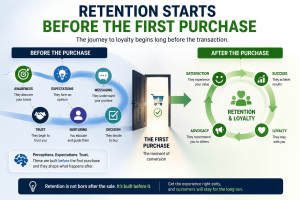
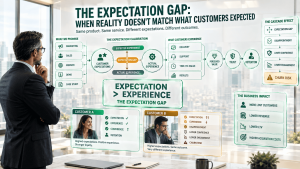
The Expectation Gap: When Reality Doesn’t Match What Customers Expected
One of the most overlooked reasons for Customer Churn is not necessarily a bad product, poor service, or weak support.
Sometimes, the real problem is much simpler:
The customer expected something different.
This is the Expectation Gap.
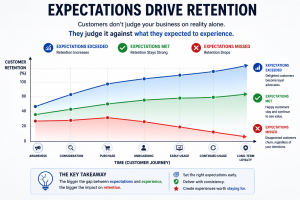
It exists when the experience customers actually receive is significantly different from the experience they believed they were going to receive.
Think of the relationship as:
Expectation
↓
Experience
↓
Perceived Value
↓
Trust
↓
Retention
When these stages remain aligned, customers usually become more confident in their decision.
But when expectations are significantly higher than reality:
Expectation > Experience
↓
Disappointment
↓
Lower confidence
↓
Lower engagement
↓
Higher churn risk
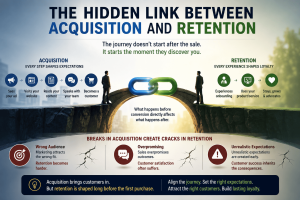
This is why Customer Churn Prevention cannot begin only after customers complain.
It must begin before the sale.
Customers Buy More Than a Product
When customers see an advertisement, visit your website, speak to a salesperson, watch a demonstration, or read a case study, they are forming a mental picture of what their future experience will look like.
They are not simply asking:
“What am I buying?”
They are also asking:
“What will happen after I buy?”
That expectation can include:
- How quickly they will see results
- How easy the product will be to use
- How much support they will receive
- How much effort will be required
- How quickly problems will be solved
- What outcomes they can realistically achieve
The problem begins when marketing and sales create an expectation that the delivery team cannot consistently match.
This is particularly dangerous because the business may believe it is delivering a good product or service.
The customer may agree.
And yet the customer can still leave.
A Simple Example
Imagine two customers purchase the same consulting service.
Both receive excellent strategic recommendations.
Customer A expected results within three months.
Customer B expected dramatic improvements within three weeks.
After three weeks, neither customer has achieved the final outcome.
Customer A thinks:
“We’re progressing as expected.”
Customer B thinks:
“This isn’t working.”
The service did not necessarily fail.
The expectation management failed.
This is why Customer Experience cannot be separated from the promises made before purchase.
SME Example
An SME sells a business-growth programme promising to help companies “accelerate growth.”
A new client expects immediate revenue improvement.
The actual programme first focuses on fixing positioning, customer targeting, conversion problems and operational bottlenecks.
Those changes may create stronger growth over several months.
But the customer expected immediate sales.
Within six weeks, the customer becomes frustrated.
The business may interpret this as a customer satisfaction problem.
But the underlying issue is an expectation gap.
The lesson
If customers don’t understand how value will be created, they may judge the business before the value has had time to appear.
Service Business Example
Consider a digital marketing agency that tells a client:
“We can significantly improve your lead generation.”
The client interprets this as:
“I should see a large increase in qualified leads within the first month.”
The agency knows that meaningful improvement requires research, campaign restructuring, testing, optimisation and learning.
The agency may actually be performing well.
But if those expectations were never explained clearly, frustration can develop.
The client starts questioning the relationship.
A few months later, the agency loses the account.
The agency may think:
“We delivered good work. Why did they leave?”
The answer may be that Perceived Value never matched the expectation created during acquisition.
SaaS Example
A SaaS company promotes its platform as:
“The easiest way to manage your entire sales process.”
A new customer expects to sign up and immediately have everything working.
Instead, successful implementation requires:
- Data migration
- User configuration
- Workflow design
- Integrations
- Team training
The product isn’t necessarily difficult.
But the customer’s expectation was that implementation would require almost no effort.
The gap creates frustration.
This is particularly important in SaaS because customers can often switch providers relatively easily. Research published by Harvard Business Review notes that customers can terminate B2B software relationships relatively easily when they don’t capture the benefits promised during the sales process.
The implication for Prevent Customer Churn is straightforward:
Don’t only sell the destination. Explain the journey.
D2C Example
Imagine a premium skincare brand using dramatic transformation imagery in its advertising.
A customer purchases expecting visible results within two weeks.
The product may genuinely work—but meaningful results may require consistent use for several months.
When the customer doesn’t see the expected transformation quickly, they may stop purchasing.
The product may not have failed.
The customer’s expectation simply exceeded the likely experience.
The same principle applies across:
- Fitness products
- Nutrition products
- Beauty products
- Supplements
- Fashion
- Home products
The stronger the promise, the more carefully the business must manage the expectation behind it.
Why This Matters for Customer Churn Prevention
The expectation gap creates a particularly dangerous form of churn because the customer may not complain.
They may simply become less engaged.
They stop responding.
They use the product less.
They skip meetings.
They don’t make another purchase.
And eventually, they leave.
That makes expectation management an important part of a broader Customer Retention Strategy.
You don’t necessarily need to promise less.
You need to promise accurately.
The goal is not:
“How can we make the biggest promise possible?”
It is:
“How can we create an expectation that our actual customer experience can consistently exceed?”
Actionable Tips: Close the Expectation Gap
1. Audit Your Marketing Promises
Review your:
- Advertisements
- Website
- Landing pages
- Sales presentations
- Demonstrations
- Testimonials
- Case studies
Ask:
“What expectation would a new customer form after seeing this?”
2. Explain the Customer Journey
Tell customers:
- What happens first
- What happens next
- How long things typically take
- What the customer must do
- What challenges they may encounter
- When they should expect their first meaningful result
Clarity reduces uncertainty.
3. Compare Expectation With Reality
Ask new and existing customers:
“What did you expect before buying?”
Then compare their answers with what your business actually delivers.
You may discover an expectation gap that your internal teams never noticed.
4. Track Churn Against Acquisition Sources
Don’t only measure Churn Rate overall.
Compare churn by:
- Campaign
- Channel
- Salesperson
- Offer
- Product
- Customer segment
If one acquisition source consistently produces customers who churn quickly, the problem may begin with the promise being made during acquisition.
5. Make “Expectation vs Reality” a Leadership Metric
Founders and CEOs should periodically ask:
Are we attracting customers with promises our business is designed to fulfil?
That single question can reveal problems across marketing, sales, onboarding and customer success.
The objective of Reduce Customer Churn is not simply to become better at saving customers who are leaving.
It is to prevent avoidable disappointment from developing in the first place.
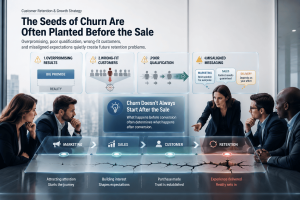
Why Wrong-Fit Customers Are More Likely to Churn
There is another uncomfortable truth about Customer Churn:
Not every customer is a good customer for your business.
Many businesses measure acquisition success by asking:
“How many customers did we acquire?”
A stronger question is:
“How many customers did we acquire who are actually capable of succeeding with us?”
Those are very different questions.
A business can acquire:
More Customers
↓
but experience
More Churn
because the customers entering the business are not the right fit.
This is where the difference between customer acquisition and customer quality becomes important.
More Customers Does Not Automatically Mean Better Growth
Imagine two businesses.
Business A
Acquires 1,000 customers.
But many customers:
- Don’t understand the product
- Have unrealistic expectations
- Don’t have the required budget
- Don’t have the necessary resources
- Aren’t ready to implement the solution
A large percentage eventually leave.
Business B
Acquires only 600 customers.
But those customers:
- Have the right problem
- Understand the solution
- Have realistic expectations
- Have the resources to implement it
- Are motivated to achieve the outcome
More customers stay.
Which business has healthier growth?
Business B.
Because sustainable growth is not simply about acquisition volume.
It is about acquisition quality.
What Makes a Customer “Wrong Fit”?
A wrong-fit customer isn’t necessarily a bad customer.
They may simply be the wrong customer for your particular solution.
Several factors can create poor fit.
1. Wrong Expectations
The customer wants an outcome your solution was never designed to deliver.
2. Wrong Use Case
Your product works extremely well for one problem but the customer is trying to use it to solve another.
3. Wrong Budget
The customer cannot realistically afford the level of investment required to achieve the desired outcome.
4. Wrong Customer Profile
The customer’s size, industry, maturity or operating model may not match the conditions under which your solution works best.
5. Wrong Level of Readiness
The customer may need your solution eventually—but isn’t ready to implement it today.
6. Wrong Expectations About Outcomes
The customer expects transformation without the effort, time, resources or behaviour change required to achieve it.
This creates a predictable pattern:
Wrong Fit
↓
Low Adoption
↓
Low Value
↓
Low Engagement
↓
Dissatisfaction
↓
Customer Churn
That is why How to prevent customer churn isn’t always about improving customer service.
Sometimes the best intervention happens before the customer becomes a customer.
SME Example
An SME offers a sophisticated business-growth consulting programme.
The programme requires the business owner to:
- Provide data
- Implement recommendations
- Train employees
- Change processes
- Track results
But the company keeps acquiring clients who expect:
“You do everything. We just wait for the results.”
The problem isn’t necessarily the consulting methodology.
The customer is not prepared to participate.
The result is predictable:
Low implementation → Low results → Low perceived value → Churn.
The business may try to solve this by improving customer support.
But the real solution is improving customer qualification before the sale.
Service Business Example
A premium digital marketing agency works best with businesses that have:
- A validated offer
- A defined target market
- A functioning website
- Adequate margins
- A realistic advertising budget
- Someone internally who can respond to leads
But the agency starts accepting almost every client.
Some clients have no clear offer.
Others have unrealistic budgets.
Some expect advertising alone to fix their entire business.
Others expect immediate results.
The agency acquires revenue—but creates future retention problems.
The lesson:
The wrong client can make a good service look ineffective.
SaaS Example
Imagine a SaaS platform designed primarily for structured sales teams.
A very small business purchases it because the marketing message makes it appear suitable for “everyone.”
But the company has only two employees and very simple sales processes.
The platform has powerful capabilities—but those capabilities aren’t necessary for this customer.
The customer sees complexity rather than value.
Adoption remains low.
Eventually the subscription is cancelled.
The SaaS company may label this as churn.
But strategically, it may be an ICP problem.
The customer was never an ideal fit.
This is why SaaS businesses should analyse churn not only by customer count, but by characteristics such as:
- Company size
- Industry
- Use case
- Acquisition source
- Product tier
- Adoption level
- Implementation maturity
The patterns can reveal which customers are most likely to succeed.
D2C Example
A D2C brand sells a premium product designed for customers who value quality and are willing to pay a higher price.
But a discount-heavy campaign attracts customers primarily looking for the cheapest option.
They purchase because of the discount.
Once the discount disappears, they don’t return.
The business may conclude:
“Our repeat purchase rate is falling.”
But the deeper issue may be customer quality.
The campaign attracted price-sensitive buyers rather than the customers most aligned with the brand’s value proposition.
This doesn’t mean discounts are always wrong.
It means businesses need to understand who the discount attracts and whether those customers are likely to become long-term customers.
The Acquisition Trap
This is where many businesses unintentionally create churn.
Marketing is rewarded for:
Leads
Sales is rewarded for:
Conversions
Finance celebrates:
Revenue
But nobody asks:
“Will these customers succeed?”
That question needs to become part of the acquisition process.
Harvard Business Review has highlighted the importance of understanding the health of customer relationships because poor retention can undermine financial performance and create negative word of mouth.
Research in the Journal of Services Marketing also found meaningful differences between “right” customers, at-risk customers and “wrong” customers, with wrong customers showing greater likelihood of switching.
The strategic implication is important:
Customer Churn Prevention begins with customer selection.
How Customer Quality Changes Your Retention Economics
Consider two acquisition channels.
Channel A
100 customers acquired
20% churn quickly
→ 80 potentially remain
Channel B
100 customers acquired
8% churn quickly
→ 92 potentially remain
At first glance, both channels generated exactly the same number of customers.
But Channel B creates substantially more retained relationships.
Over time, that difference affects:
- Customer Retention
- Customer Lifetime Value (LTV)
- Repeat purchases
- Renewals
- Referrals
- Support costs
- Marketing efficiency
- Profitability
This is why Customer Retention Strategy should not sit entirely inside customer success.
It should influence marketing, sales, product positioning and customer qualification.
Actionable Tips: Improve Customer Fit Before Acquisition Becomes Churn
1. Define Your Ideal Customer Clearly
Document:
- Who benefits most
- Who gets results fastest
- Who has the required resources
- Who has the right problem
- Who is ready to act
2. Identify Your “Never-Fit” Customers
This is often more revealing than defining your ideal customer.
Ask:
“Which customers repeatedly struggle to succeed with us?”
Look for common characteristics.
These patterns can help prevent future churn.
3. Analyse Churn by Customer Segment
Compare Churn Rate across:
- Industry
- Company size
- Product
- Service package
- Acquisition channel
- Price tier
- Customer maturity
Your highest-volume segment may not be your highest-value segment.
4. Qualify for Success—not Just Purchase Intent
Instead of asking only:
“Can this customer buy?”
Ask:
“Can this customer realistically succeed?”
That changes the quality of your customer base.
5. Make Marketing and Sales Responsible for Customer Quality
A successful campaign should not simply generate customers.
It should generate customers who:
Fit
↓
Adopt
↓
Experience Value
↓
Stay
↓
Expand
↓
Refer
That is a much stronger definition of growth.
The Bigger Insight
Businesses often try to Prevent Customer Churn by improving what happens after customers leave—or by offering discounts when customers threaten to cancel.
But some churn can be prevented much earlier.
Before the customer buys.
Before onboarding.
Before implementation.
Before dissatisfaction.
The question is not simply:
“How do we keep more customers?”
It is:
“Are we acquiring the customers most likely to succeed with us?”
The strongest Customer Retention Strategy doesn’t attempt to retain every customer at any cost.
It identifies the customers who are most likely to achieve meaningful value—and builds the acquisition, onboarding and customer experience around helping those customers succeed.
The easiest customer to retain is often the customer your business was actually designed to serve.
How to Prevent Customer Churn Before It Becomes a Problem
Customer Churn Prevention is not about waiting until a customer says, “I want to leave,” and then offering a discount to convince them to stay.
By that point, the real decision may already have been made.
The better approach is to identify the signals that appear before the customer reaches that point.
Think of churn prevention as a four-step process:
Detect → Diagnose → Intervene → Measure
This simple framework can turn retention from a reactive activity into a proactive business system.
Step 1: Detect
The first step is recognising that something has changed.
A customer who was previously active may suddenly:
- Stop responding to emails
- Reduce product usage
- Miss meetings
- Stop purchasing
- Raise fewer questions
- Stop attending training
- Delay implementation
- Start questioning value
None of these automatically means the customer will leave.
But together, they can indicate increasing churn risk.
This is why Founders and CEOs should not look only at the final churn number.
They should monitor the behaviours that happen before churn.
For example, a SaaS company might discover that customers who stop using a critical feature for 30 days are significantly more likely to cancel later.
That creates an opportunity.
The company doesn’t have to wait for cancellation.
It can intervene while there is still time.
Modern customer-success systems increasingly use engagement, product usage, sentiment and account activity to surface these risks earlier. Gainsight, for example, describes using these signals to identify customer risk before renewal and trigger proactive actions.
Step 2: Diagnose
Detecting a warning sign is only half the job.
The next question is:
Why is the customer disengaging?
A drop in engagement could have many causes.
Perhaps:
- The customer isn’t getting results.
- The product is difficult to use.
- The onboarding was incomplete.
- The customer’s business priorities changed.
- The customer doesn’t understand the available features.
- The promised outcome wasn’t achieved.
- Support problems remain unresolved.
- The customer no longer sees enough value for the price.
This is where many businesses make a mistake.
They see declining usage and immediately send a promotional email.
But the problem may not be price.
It may be value.
Or confidence.
Or customer effort.
Or poor implementation.
Good Customer Churn Prevention therefore requires diagnosis before intervention.
Ask better questions
Instead of simply asking:
“How can we stop this customer from leaving?”
Ask:
“What changed in this customer’s journey?”
That question often reveals the real problem.
Step 3: Intervene
Once the cause is understood, the intervention should address the actual problem.
If onboarding is incomplete, provide guidance.
If adoption is low, demonstrate the relevant use case.
If the customer hasn’t achieved value, create a clear path to an early win.
If communication has declined, reconnect with a meaningful conversation.
If expectations were unrealistic, reset them honestly.
If a recurring problem exists, solve the underlying problem rather than repeatedly apologising for it.
The goal isn’t simply to persuade the customer to stay.
The goal is to restore the conditions that make staying valuable.
That distinction is critical.
A discount may postpone churn.
But customer value is what prevents it.
Step 4: Measure
After intervention, measure whether the customer’s behaviour actually improves.
Look for changes in:
- Engagement
- Product usage
- Communication
- Milestone completion
- Support activity
- Repeat purchases
- Customer satisfaction
- Renewal confidence
For example:
Engagement ↓
→ Intervention
→ Usage ↑
→ First Value ↑
→ Confidence ↑
→ Churn Risk ↓
This gives management something much more useful than simply knowing the monthly churn rate.
It shows which interventions actually reduce customer churn.

Ten Practical Ways to Prevent Customer Churn
1. Improve Onboarding
Don’t assume customers automatically know what to do after purchasing.
Give them:
- A clear first step
- A simple implementation path
- Milestones
- Guidance
- Early wins
The objective is to reduce uncertainty and accelerate value.
2. Shorten Time-to-Value
Customers don’t necessarily need the final outcome immediately.
They need evidence that progress is happening.
Identify the first meaningful customer win and design the journey around reaching it quickly.
3. Communicate Proactively
Don’t communicate only when something goes wrong.
Share:
- Progress
- Recommendations
- Milestones
- Education
- Success tips
- Relevant updates
Silence creates uncertainty.
Consistent communication reinforces value.
4. Monitor Customer Engagement
Track behavioural changes.
For SaaS, this could include:
- Login frequency
- Feature usage
- User adoption
- Session activity
For services:
- Meeting attendance
- Response rates
- Implementation progress
For D2C:
- Repeat purchases
- Purchase frequency
- Product engagement
Declining Customer Engagement can be an early indicator that something needs attention.
5. Reduce Customer Effort
Ask:
“Where are customers working harder than they should?”
Look at:
- Support
- Billing
- Documentation
- Renewals
- Returns
- Implementation
- Communication
Removing unnecessary friction can strengthen Customer Experience and make staying easier.
6. Resolve Recurring Problems
If customers repeatedly complain about the same issue, don’t treat every complaint as an individual ticket.
Look for the system problem behind the complaints.
One permanent improvement can prevent hundreds of future frustrations.
7. Educate Customers
Sometimes customers churn because they never discover the full value of what they purchased.
Education can help customers:
- Use more features
- Improve implementation
- Avoid mistakes
- Discover new use cases
- Achieve better outcomes
The more value customers understand and experience, the stronger the foundation for Customer Retention.
8. Personalize Customer Interactions
Not every customer needs the same intervention.
A new customer may need onboarding.
An inactive customer may need re-engagement.
A growing customer may need expansion guidance.
An at-risk customer may need a strategic review.
Personalisation makes intervention more relevant—and more useful.
9. Reinforce Value
Don’t assume customers remember everything your business has delivered.
Show them.
For example:
Before
Manual reporting took 10 hours.
After
Reporting now takes 3 hours.
Or:
Before
20% feature adoption.
After
65% adoption.
Visible progress reminds customers why the relationship is valuable.
10. Create Proactive Success Plans
For important customers, define:
- Their desired outcome
- Key milestones
- Risks
- Required actions
- Success measures
- Review dates
This transforms retention from something the business hopes will happen into something it actively manages.
Research and industry practice increasingly emphasise this proactive approach: customer-success teams use adoption, engagement and health signals to identify risk early rather than waiting for renewal problems.
SME Example
Imagine an SME providing digital marketing services.
A client initially attends every strategy meeting.
Three months later:
- Response times increase.
- Fewer recommendations are approved.
- Campaign reviews are missed.
- The client stops asking questions.
A traditional business might wait until renewal.
A proactive business recognises this as a potential churn signal.
The account manager contacts the client and discovers that the owner has become concerned about rising advertising costs.
The problem wasn’t necessarily service quality.
It was perceived value.
The agency creates a revised growth plan, explains the numbers and identifies where budget can be reallocated.
Engagement returns.
The client stays.
The important lesson: the business didn’t save the customer at renewal.
It addressed the risk months earlier.
Service Business Example
A consulting firm notices that a client has stopped attending monthly strategy meetings.
Instead of assuming the client is busy, the consultant investigates.
They discover that the client hasn’t implemented the recommendations from the previous quarter.
The real problem isn’t lack of interest.
It’s implementation capacity.
The consultant restructures the recommendations into three smaller priorities and introduces monthly implementation checkpoints.
The customer begins seeing progress again.
This is Customer Churn Prevention in practice:
Detect → Diagnose → Intervene → Measure
SaaS Example
A SaaS company notices that an account’s usage has declined significantly.
The customer is still paying.
There is no complaint.
But usage has fallen.
The company investigates and discovers that the customer’s team never completed onboarding for an important workflow.
Instead of sending a generic “We miss you” email, the customer-success team provides a targeted implementation session.
Usage increases.
The customer begins experiencing more value.
The renewal conversation becomes easier.
The key lesson?
A paying customer isn’t necessarily a healthy customer.
Revenue can remain visible while customer health is deteriorating underneath.
D2C Example
A customer purchases a premium skincare product.
They don’t repurchase.
The business assumes the customer simply wasn’t interested.
But behavioural data shows that many first-time buyers don’t understand how long the product takes to produce visible results.
The business changes its post-purchase communication:
Week 1: How to use the product correctly
Week 2: What early changes to expect
Week 4: Usage tips and common mistakes
Week 6: Progress guidance and replenishment reminder
The customer now understands the journey.
The business isn’t simply selling another product.
It’s helping the customer experience the value they originally purchased.
That can improve both Customer Retention and lifetime value.
The Bigger Insight
The purpose of Customer Churn Prevention isn’t to save every customer.
Some customers genuinely aren’t a fit.
Some needs change.
Some relationships become commercially unviable.
The objective is different:
Identify preventable churn while there is still time to do something meaningful about it.
This is particularly important because retention has a direct economic impact. Bain research has found that a 5% increase in customer retention can increase profits by roughly 25% to 95%, depending on the industry.
So churn prevention isn’t simply a customer-service initiative.
It is a profitability strategy.
How to Reduce Customer Churn Through Customer Success
Many businesses use the words customer support and customer success as if they mean the same thing.
They don’t.
The difference is simple.
Customer Support asks:
“What problem can we solve?”
Customer Success asks:
“What outcome is the customer trying to achieve?”
Support is usually reactive.
A customer has a problem.
They contact the business.
The business responds.
Customer Success is more proactive.
The business understands the customer’s desired outcome and helps the customer reach it before problems become serious.
That difference can have a major impact on Customer Retention.
Support Solves Problems. Customer Success Prevents Some of Them.
Imagine a SaaS customer struggling to configure a feature.
Support waits for the ticket.
Customer Success may already know that the customer hasn’t completed the implementation milestone and reach out before the problem becomes a major obstacle.
The difference is timing.
Support:
Problem → Customer asks for help → Business responds
Customer Success:
Goal → Monitor progress → Detect risk → Intervene → Customer succeeds
That is why proactive Customer Success is such an important part of Customer Churn Prevention.
Gainsight’s current customer-success guidance similarly defines Customer Success as proactive and outcome-focused, with emphasis on adoption, engagement, milestones and early risk detection.
Build Customer Success Around Customer Goals
The first question shouldn’t be:
“How do we get customers to use more features?”
It should be:
“What does success look like for this customer?”
For example:
A SaaS customer may want to reduce manual work.
A consulting client may want to improve operational efficiency.
An SME may want to generate more qualified leads.
A D2C customer may want a specific product outcome.
Once the desired outcome is clear, the business can design the customer journey around it.
Create Customer Milestones
Customers need to see progress.
Break the journey into meaningful milestones.
For example:
Purchase
↓
Onboarding Complete
↓
First Successful Use
↓
First Measurable Result
↓
Consistent Adoption
↓
Desired Outcome
↓
Renewal
This makes success visible.
And visible progress strengthens confidence.
Monitor Customer Health
A simple customer-health framework can combine:
- Engagement
- Usage
- Adoption
- Support history
- Progress toward goals
- Satisfaction
- Communication
- Renewal status
You don’t necessarily need sophisticated technology to begin.
Even a spreadsheet can help an SME identify:
Green: Healthy
Amber: Needs attention
Red: At risk
The important thing is to identify changes early.
Conduct Regular Health Checks
Don’t wait until renewal to ask:
“Are you happy with us?”
By then, the answer may be too late to influence.
Instead, ask periodically:
- Are you achieving what you expected?
- What is working well?
- Where are you facing difficulty?
- What is preventing progress?
- What would make the experience more valuable?
- What should we improve?
These conversations can reveal risks that behavioural data alone cannot.
Focus on Adoption, Not Just Activity
A customer can log in frequently without achieving meaningful value.
So don’t measure activity in isolation.
Measure whether activity is moving customers toward their desired outcome.
For example:
Usage → Adoption → Value → Outcome
That’s much more useful than simply measuring:
Usage → Usage → Usage
The goal of Customer Success isn’t to make customers busy.
It’s to make customers successful.
SME Example
A digital marketing agency manages campaigns for an SME.
Instead of simply reporting:
- Clicks
- Impressions
- Leads
the agency creates a customer-success plan around:
- Qualified leads
- Cost per qualified lead
- Sales opportunities
- Conversion rate
- Revenue contribution
Now the conversation changes.
The agency isn’t simply reporting marketing activity.
It is demonstrating progress toward the customer’s business goal.
That strengthens perceived value and makes the relationship more strategic.
Service Business Example
A business consultant shouldn’t define success as:
“We completed six consulting sessions.”
That’s an internal activity.
The customer cares about the outcome.
Instead, success could be:
- Process redesigned
- Employee adoption achieved
- Operating cost reduced
- Sales process improved
- Reporting system implemented
The customer sees progress.
The consultant demonstrates value.
The relationship becomes easier to retain.
SaaS Example
A project-management SaaS company wants customers to become successful.
Instead of measuring only logins, it monitors whether customers:
- Create projects
- Invite team members
- Complete workflows
- Use key features
- Establish recurring processes
- Achieve their operational goal
If adoption drops, the business intervenes.
If adoption increases, the business identifies opportunities to deepen value.
This creates a continuous feedback loop:
Usage → Value → Success → Retention → Expansion
D2C Example
A D2C nutrition company shouldn’t measure customer success simply by whether another order occurs.
It can also help customers:
- Understand product usage
- Follow the recommended routine
- Avoid common mistakes
- Track progress
- Understand realistic timelines
When customers understand how to achieve the intended outcome, they are more likely to perceive the product as valuable.
That can improve repeat purchase behaviour.
The Revenue Impact of Customer Success
This is where Customer Success becomes much bigger than a support function.
Think about the sequence:
Successful Customer
↓
Experiences Value
↓
Builds Confidence
↓
Continues Using
↓
Renews / Repurchases
↓
Creates More Lifetime Value
↓
Becomes More Likely to Refer
This is why Customer Success can become a revenue-growth function.
Bain’s research has long connected stronger retention with significantly higher profitability, while current customer-success research emphasises adoption, renewal and expansion as outcomes of customers consistently achieving their goals.
And the broader customer-experience picture reinforces the risk of ignoring this. PwC’s 2025 survey found that 29% of consumers said they stopped using or buying from a brand because of poor customer experience, while 70% of executives said customer expectations were changing faster than their companies could adapt.
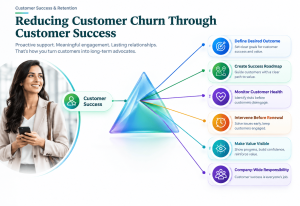
Actionable Customer Success Steps for Founders and SMEs
1. Define the Customer’s Desired Outcome
Ask:
“What does success look like from the customer’s perspective?”
Write it down.
2. Create a Customer Success Roadmap
Identify:
- First milestone
- First value
- Major milestones
- Desired outcome
- Renewal point
3. Monitor Customer Health
Track changes in:
- Engagement
- Usage
- Adoption
- Support
- Progress
- Communication
4. Intervene Before Renewal
Don’t wait for the renewal conversation to discover problems.
Address risk while there is still time to change the customer’s experience.
5. Make Value Visible
Show customers what has improved.
Don’t make them calculate the value themselves.
6. Turn Customer Success Into a Company-Wide Responsibility
Marketing sets expectations.
Sales establishes the promise.
Operations delivers the experience.
Support resolves problems.
Customer Success drives outcomes.
Leadership ensures the entire system works together.
When these functions are aligned, Customer Churn Prevention becomes much more powerful.
The Bigger Insight
The strongest businesses don’t simply ask:
“How many customers are we losing?”
They ask:
“How many customers are showing signs that they may leave—and what are we doing about it?”
That is the shift from reactive retention to proactive Customer Churn Prevention.
Because by the time a customer cancels, the business is usually looking at the end of the story.
Customer Success helps you see—and influence—the story before it reaches the end.
And ultimately:
Successful Customer → Valuable Customer → Retained Customer → More Predictable Revenue.
Build a Customer Retention Strategy Around Risk—not Just Retention Rates
Most businesses measure Customer Retention after the fact.
At the end of the month, they look at:
- How many customers stayed?
- How many customers left?
- What was our Churn Rate?
- How much revenue did we lose?
These numbers are important.
But they tell you what happened.
They don’t necessarily tell you what is about to happen.
A stronger Customer Retention Strategy looks at customer risk throughout the entire relationship.
Instead of asking:
“What was our retention rate last month?”
ask:
“Which customers are becoming less likely to stay—and why?”
That small shift changes the way a business manages retention.

Retention Should Be a Journey, Not a Monthly Report
Think of customer retention as a system with six stages:
Before Purchase
↓
Customer Fit
↓
Immediately After Purchase
↓
Expectation + Onboarding
↓
Early Relationship
↓
Time-to-Value
↓
Ongoing Relationship
↓
Engagement + Value
↓
Before Renewal
↓
Health + Success
↓
At Risk
↓
Intervention + Recovery
The important point is that every stage creates information about future retention.
A customer who is struggling during onboarding may eventually become a churned customer.
A customer who never reaches meaningful value may become disengaged.
A customer whose engagement gradually declines may become a renewal risk.
And a customer who repeatedly experiences success is more likely to remain loyal.
The retention report simply records the final outcome.
The operating system manages the journey that produces that outcome.
Stage 1: Before Purchase — Customer Fit
Customer Churn Prevention begins before the customer becomes a customer.
This may sound counterintuitive.
But attracting the wrong customer can create churn that no retention campaign can permanently fix.
Ask:
- Is this customer a genuine fit?
- Can our product or service solve their problem?
- Are their expectations realistic?
- Do they have the resources required to succeed?
- Is the timing right?
- Do they understand what success will require?
A customer who was never a good fit may eventually become a churn statistic.
But the real problem occurred much earlier—in acquisition.
This is why Customer Churn should not always be treated as a customer-service problem.
Sometimes it is a customer-acquisition problem.
Stage 2: Immediately After Purchase — Expectation + Onboarding
The purchase creates an expectation.
The customer is thinking:
“I have made the decision. Now I need to see that I made the right one.”
This is where onboarding becomes important.
A strong welcome experience should:
- Confirm the decision
- Explain what happens next
- Set realistic expectations
- Reduce uncertainty
- Give the customer a clear first step
Poor onboarding can create doubt before the customer has even experienced the product’s value.
That is why the first few days can have a disproportionate impact on the future relationship.
Stage 3: Early Relationship — Time-to-Value
Customers don’t need to achieve the final outcome immediately.
But they need evidence that progress is possible.
This is where Time-to-First-Value becomes important.
Ask:
“How quickly does a new customer experience their first meaningful win?”
For an SME using a marketing agency, it might be the first qualified lead.
For SaaS, it might be successfully completing an important workflow.
For a consultant, it might be implementing the first recommendation.
For D2C, it might be experiencing the first meaningful product benefit.
The faster customers experience meaningful progress, the easier it becomes to build confidence.
Stage 4: Ongoing Relationship — Engagement + Value
Retention isn’t created by the first successful experience alone.
Customers need continuing value.
This means monitoring:
- Product usage
- Engagement
- Communication
- Milestone achievement
- Customer feedback
- Repeat purchases
- Support activity
- Results
A customer who is still paying but gradually disengaging may be at greater risk than the business realises.
This is why Customer Engagement can function as an early warning indicator.
Consider:
Engagement ↓
→ Usage ↓
→ Value ↓
→ Confidence ↓
→ Churn Risk ↑
The objective isn’t to react when the customer leaves.
It is to understand why engagement is declining while there is still time to intervene.
Stage 5: Before Renewal — Health + Success
Renewal should not be the first time your business discusses customer value.
If a customer reaches renewal and suddenly asks:
“What exactly have we achieved?”
you may already have a problem.
A strong retention system makes value visible throughout the relationship.
Before renewal, review:
- Original objectives
- Progress achieved
- Current usage
- Business outcomes
- Unresolved issues
- Customer satisfaction
- Future goals
The renewal conversation should feel like:
“Here is what we’ve achieved and where we can go next.”
Not:
“Your contract expires next month. Would you like to continue?”
That difference can have a major impact on Customer Lifetime Value (LTV).
Stage 6: At Risk — Intervention + Recovery
Once risk becomes visible, intervention should happen quickly.
But intervention should be based on diagnosis.
A customer showing low usage may need training.
A customer complaining about price may need clearer value communication.
A customer experiencing poor results may need a revised success plan.
A customer who has stopped responding may need a completely different approach.
There is no universal “save” message.
The intervention must match the reason behind the risk.
This is the difference between:
Retention Campaign
and
Retention Strategy.
SME Example: Digital Marketing Business
Imagine an SME client starts working with a digital marketing agency.
Everything looks positive initially.
But after three months:
- Campaign approvals become slower.
- Meetings are missed.
- The owner stops asking questions.
- Results aren’t discussed internally.
- The client becomes less responsive.
The agency could wait for the renewal discussion.
Or it could recognise these behaviours as potential risk signals.
The agency investigates and discovers that the business owner is concerned that marketing activity isn’t translating into enough sales opportunities.
The agency creates a revenue-focused review:
Leads → Qualified Leads → Opportunities → Sales
Now the conversation changes from:
“Your campaigns generated 150 leads.”
to:
“Here is where those leads moved through your sales process—and here is where revenue is being lost.”
The customer sees the agency as a strategic partner rather than simply a marketing supplier.
That is Customer Churn Prevention through diagnosis and intervention.
Service Business Example
A consulting firm notices that a client has stopped implementing recommendations.
The client hasn’t complained.
There is no obvious problem.
But implementation has slowed.
The consultant investigates and discovers that the client’s internal team doesn’t have enough capacity to execute the recommendations.
Instead of continuing to send reports, the consultant restructures the plan around three high-priority actions.
Implementation improves.
Progress becomes visible again.
The customer begins experiencing value.
The risk falls.
The lesson?
Customer Retention often depends on removing the obstacle preventing customer success.
SaaS Example
A SaaS company notices that a customer is still logging in but has stopped using one of the platform’s most valuable features.
A basic dashboard might classify the account as “active.”
A more sophisticated Customer Retention Strategy asks:
“Active—but successful?”
The customer-success team discovers that the feature was never fully implemented.
They provide targeted guidance.
Adoption increases.
The customer begins receiving more value from the platform.
The intervention happened before renewal.
That is where the real power of proactive retention lies.
D2C Example
A D2C brand notices that many customers make one purchase but don’t return.
Instead of immediately offering a discount, the business investigates.
It discovers:
- Customers don’t understand how long results should take.
- Product usage instructions are unclear.
- Customers don’t know when to reorder.
- Expectations were influenced by aggressive advertising.
The brand changes its post-purchase journey.
Customers receive:
Welcome → Usage Guidance → Progress Education → Reorder Reminder → Continued Value
Now the company is addressing the cause rather than simply trying to buy another transaction.
The Bigger Insight
A retention rate is an outcome metric.
Risk signals are leading indicators.
That’s the distinction Founders and CEOs should understand.
If you only measure retention, you may discover the problem after the customer has already left.
If you monitor risk throughout the customer journey, you can often intervene earlier.
And that is the foundation of a stronger Customer Retention Strategy.
Don’t build a system that tells you who left. Build a system that helps you understand who may leave next—and why.
How Businesses Can Prevent Customers From Leaving
So, how businesses can prevent customers from leaving is not really about finding one magical retention tactic.
There is no single email, discount, loyalty programme or customer-service script that can solve every churn problem.
The stronger approach is to build a series of small disciplines into the customer journey.
Here is a practical executive checklist.
1. Know Why Customers Stay
This is surprisingly important.
Businesses often spend enormous effort understanding why customers leave.
But they should also ask:
“Why do our best customers stay?”
Look at your most loyal customers.
What do they have in common?
Perhaps they:
- Achieve value quickly
- Use more features
- Have stronger engagement
- Receive better support
- Have realistic expectations
- Have a specific customer profile
These patterns can help you strengthen your overall Customer Retention Strategy.
2. Identify Why Customers Leave
Don’t rely on assumptions.
Analyse:
- Cancellation reasons
- Refund requests
- Exit interviews
- Support complaints
- Renewal objections
- Product usage
- Customer feedback
Look for patterns.
If ten customers leave and seven mention the same issue, you may have found a systemic retention problem.
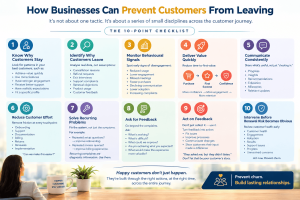
3. Monitor Behavioural Signals
Customers don’t always announce:
“I’m thinking about leaving.”
Their behaviour often speaks first.
Monitor:
- Reduced usage
- Lower engagement
- Missed meetings
- Fewer purchases
- Declining communication
- Lower adoption
- Increasing complaints
This is where Customer Engagement becomes valuable.
A change in behaviour can provide an opportunity to intervene before Customer Churn occurs.
4. Deliver Value Quickly
Ask:
“What is the first meaningful outcome we can help this customer achieve?”
Then design the journey around it.
Reducing Time-to-First-Value can help customers move from uncertainty to confidence.
The sequence is simple:
Purchase
→ First Success
→ Confidence
→ Engagement
→ Value
→ Retention
5. Communicate Consistently
Don’t disappear after the sale.
Communication should provide a reason for customers to remain engaged.
Share:
- Progress
- Insights
- Recommendations
- Education
- Milestones
- Relevant updates
Communication should not simply say:
“Just checking in.”
It should give customers something useful.
6. Reduce Customer Effort
Every unnecessary step creates friction.
Review:
- Onboarding
- Support
- Documentation
- Billing
- Returns
- Renewals
- Implementation
Ask:
“Can we make this easier?”
A smoother Customer Experience can improve confidence and reduce the frustration that contributes to churn.
7. Solve Recurring Problems
If the same customer problem appears repeatedly, don’t simply keep answering it.
Fix the system.
For example:
If customers repeatedly ask:
“How do I set this up?”
perhaps the problem isn’t the customers.
Perhaps the onboarding process is unclear.
If customers repeatedly ask:
“Where can I find my invoice?”
perhaps the billing experience needs improvement.
Recurring complaints are often diagnostic information.
Use them.
8. Ask for Feedback
Don’t wait for unhappy customers to complain.
Ask customers:
- What is working?
- What is difficult?
- What could we improve?
- Are you achieving what you expected?
- What would make the experience more valuable?
Feedback can reveal problems that behavioural data cannot.
9. Act on Feedback
This is where many businesses fail.
They collect feedback.
They create dashboards.
They conduct surveys.
But nothing changes.
Customers eventually realise:
“They asked me, but they didn’t listen.”
Feedback becomes valuable only when it influences action.
Even a simple response such as:
“Several customers told us this process was difficult. We’ve simplified it.”
can strengthen trust.
10. Intervene Before Renewal Risk Becomes Obvious
Don’t wait until the renewal conversation to discover that a customer is unhappy.
Start earlier.
Review:
- Customer health
- Engagement
- Adoption
- Results
- Support issues
- Progress
- Unresolved concerns
Then intervene while there is still time.
This is the essence of Prevent Customer Churn.
An Executive Churn-Prevention Checklist
Founders and CEOs can periodically ask:
Before Purchase
☐ Are we attracting the right customers?
☐ Are our promises realistic?
After Purchase
☐ Is onboarding clear?
☐ Do customers know what happens next?
Early Relationship
☐ Are customers reaching value quickly?
☐ Are they experiencing an early win?
Ongoing Relationship
☐ Is engagement increasing or declining?
☐ Are customers achieving their intended outcomes?
☐ Are we communicating proactively?
Before Renewal
☐ Can we clearly demonstrate customer value?
☐ Are there unresolved problems?
☐ Is the customer still confident about continuing?
At Risk
☐ Have we identified the reason for disengagement?
☐ Have we intervened?
☐ Did engagement and value recover?
This checklist turns retention into something management can actively inspect and improve.
The Revenue Perspective
There is an important financial reason to take this seriously.
When a customer leaves, the business doesn’t lose only the current transaction.
It potentially loses:
Current Revenue
↓
Future Purchases
↓
Customer Lifetime Value
↓
Referrals
↓
Future Revenue
And the business must replace that lost customer through acquisition.
That is why Reduce Customer Churn isn’t simply a customer-service objective.
It is a revenue-quality objective.
Bain & Company has reported that increasing customer retention by 5% can increase profits substantially—by roughly 25% to 95%, depending on the business context.
The exact financial impact varies by business model, but the strategic lesson is powerful:
Keeping the right customers longer can be more valuable than constantly replacing customers who leave.
The Bigger Insight
The question isn’t simply:
“How do we stop customers from leaving?”
The better question is:
“What would make the right customers want to stay?”
That question changes everything.
It moves the business from:
Churn → Reaction
to:
Risk → Diagnosis → Intervention → Success → Retention
And ultimately:
Better Customer Experience
↓
Higher Customer Engagement
↓
Greater Perceived Value
↓
Stronger Customer Retention
↓
Higher LTV
↓
Better Revenue Quality
That is the real objective of Customer Churn Prevention.
Not simply keeping customers.
Keeping the right customers successful, engaged and valuable for longer.
Conclusion
Customer Churn Prevention doesn’t begin when a customer clicks “Cancel.”
It begins much earlier.
Most customers don’t wake up one morning and suddenly decide to leave. In many cases, churn develops gradually through a series of small experiences.
It may start with a poor experience.
Then engagement begins to decline.
The customer experiences less value.
Confidence starts falling.
Eventually, the customer begins questioning whether continuing the relationship is worthwhile.
The journey often looks like this:
Poor Experience
↓
Lower Engagement
↓
Lower Value
↓
Lower Confidence
↓
Higher Churn Risk
↓
Customer Leaves
By the time the cancellation appears in your dashboard, the real problem may have existed for weeks or even months.
That is why simply monitoring Churn Rate isn’t enough.
The more important question for Founders, CEOs and business leaders is:
“What is happening before the customer leaves?”
Are customers still engaged?
Are they achieving the value they expected?
Are they using your product or service?
Are they responding to communication?
Are they reaching important milestones?
Are they confident that they made the right decision?
These questions help businesses move from reactive retention to proactive Customer Churn Prevention.
Retention Is Built Before the Cancellation
The businesses that successfully Prevent Customer Churn don’t wait for customers to complain.
They look for signals.
They monitor behaviour.
They identify declining engagement.
They improve the Customer Experience.
They shorten Time-to-Value.
They communicate before customers feel forgotten.
They remove unnecessary customer effort.
And when a customer shows signs of risk, they intervene while there is still an opportunity to recover the relationship.
This changes the role of retention completely.
Instead of asking:
“How do we stop this customer from leaving?”
Businesses begin asking:
“What can we improve before this customer reaches the point of wanting to leave?”
That is a much more powerful question.
The Revenue Impact Is Bigger Than Churn
Churn isn’t simply a customer-service problem.
It can directly affect revenue growth.
When customers leave, businesses lose more than the current transaction.
They can also lose:
- Future purchases
- Renewals
- Expansion opportunities
- Referrals
- Customer Lifetime Value (LTV)
And replacing those customers requires additional acquisition.
That creates a costly cycle:
Customers Leave
↓
Revenue Is Lost
↓
More Customers Must Be Acquired
↓
Acquisition Costs Increase
↓
More Pressure on Growth
↓
Profitability Declines
This is why improving Customer Retention can be one of the most powerful ways to improve the quality of revenue—not simply the quantity of customers acquired.
The Bigger Business Lesson
Acquisition creates customers.
But retention determines how much value those customers ultimately create.
A business can generate impressive leads, conversions and sales while quietly losing customers on the other side of the funnel.
That isn’t sustainable growth.
Sustainable growth happens when businesses create a system where customers:
Buy
↓
Experience Value
↓
Succeed
↓
Stay
↓
Expand
↓
Create More Lifetime Value
This is where Customer Churn Prevention becomes more than a retention initiative.
It becomes a revenue strategy.
Final Insight
Customer retention is not about stopping customers from leaving at the last moment. It’s about giving them fewer reasons to want to leave in the first place.
The businesses that understand this don’t treat churn as an unavoidable outcome.
They treat it as a signal.
A signal that something in the customer journey, experience, value delivery, engagement or relationship needs attention.
And when businesses learn to identify those signals early, they don’t just reduce customer churn.
They build stronger relationships, longer customer lifecycles, higher Customer Lifetime Value (LTV) and ultimately, more sustainable revenue growth.
That is the real purpose of Customer Churn Prevention