Social Proof in Lead Nurturing to Turn Skeptics into Customers

Ever found yourself double-checking a purchase because others loved it too? That’s social proof in action—a powerful psychological phenomenon rooted in what behavioral scientists call herd behavior or authority bias . When we see real people (not brands) vouching for something, it instantly boosts our trust.

For SMEs and B2B brands, social proof is a lead nurturing superpower. It bridges that gap when prospects say, “I like what I see—but I need confidence before I commit.” Whether they’re early in the funnel or just at the decision phase, strategically placed testimonials, case studies, or even influencer shout-outs can make all the difference. Social proof is one of the most powerful psychological triggers in marketing, driven by how we trust the actions of others—especially when we’re unsure ourselves.

In this guide, we’ll explore:

  • The six types of social proof that truly convert
  • How to use each at key funnel stages
  • Real-world case studies and plug-and-play examples

By the end, you’ll know exactly how to sprinkle trust into your campaigns—without spending a penny on ads.

Why Social Proof Matters in Lead Nurturing

Trust is the foundation of conversion

Most people won’t buy from someone they don’t trust. Adding even a testimonial or review can drastically increase confidence in your brand. After all, hearing “It helped us grow by 30%” from another CEO feels a lot stronger than any claim you might make yourself. According to recent social proof statistics, 92% of customers trust peer recommendations over branded content—making reviews and case studies essential to your nurture strategy.

Credibility needs to build at every stage

From top-of-funnel awareness emails to bottom-of-funnel pricing pages, each touchpoint should subtly reassure prospects that others have walked this path—and succeeded.

  • Awareness: Share an influencer quote (“This approach changed how we market”).
  • Consideration: Feature a mini case study showcasing ROI.
  • Decision: Add customer logos or star ratings right next to the sign-up button.

Peer-generated beats brand-created—every time

Humans trust humans. In fact, 92% of consumers around the globe say they trust recommendations from friends or strangers more than branded messages  That’s why user-generated content—like a quick video testimonial—will almost always outperform a glossy brochure or hero banner.

Smart Tip:

Mix formats: combine reviews, video quotes, and certifications to maximize credibility and resonate with different audiences. A written testimonial backed by stats feels both authentic and authoritative.

6 Types of Social Proof That Convert
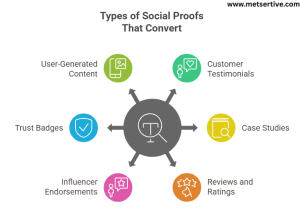
 

Types of social proof that convert

  1. Customer Testimonials

What it is: Short quotes from satisfied clients highlighting real results.
Funnel stage: MOFU (Middle of Funnel) – ideal for nurturing and trust-building.
Example: “We increased our demo bookings by 40% thanks to this tool.”
Visual tip: Add a headshot + name + company under each testimonial for authenticity.

If you’re wondering how to use testimonials to increase conversions, place them strategically on pricing pages or within email campaigns to reinforce decision-making

  1. Case Studies

What it is: In-depth stories showing the problem, solution, and outcome.
Funnel stage: BOFU (Bottom of Funnel) – perfect for prospects comparing options.
Example: A B2B SaaS case study demonstrating how a client cut onboarding time by 50%.
Visual tip: Use before-and-after stats in a simple graphic or timeline.

  1. Reviews and Ratings

What it is: Star ratings and user reviews on public platforms.
Funnel stage: BOFU – adds last-minute trust before purchase.
Example: “4.7 ★ average rating from 120+ customers on Trustpilot.”
Tip: Display ratings near key CTAs, like a pricing page or signup form.

  1. Influencer or Expert Endorsements

What it is: Validation from industry experts or niche influencers.
Funnel stage: TOFU/MOFU – builds authority early in the journey.
Example: “Top marketer Jane Doe calls it ‘a must-have for growing SMBs.’”
Tip: Use quotes from micro-influencers—they drive 60% more engagement than big names

  1. Trust Badges and Certifications

What it is: Industry verification marks or award badges.
Funnel stage: MOFU/BOFU – assures prospects that you’re legitimate.
Example: “Hosted on AWS. ISO 27001 compliant.”
Tip: Show them near forms and pricing tables to reduce friction.

  1. User-Generated Content (UGC)

What it is: Real photos, video demos, or social posts from customers.
Funnel stage: TOFU/BOFU – especially powerful for ecommerce and visual products.
Example: Customers’ Instagram posts tagged with your brand hashtag.
Why it works: 92% of consumers trust UGC more than branded content .
Visual tip: Create a “Shop the look” gallery using UGC on your website.

Real-World Case Studies That Got Results

Case Study 1: B2B SaaS – Testimonials Boost Email Conversions

Problem: Low conversion rates from nurture emails.
Social Proof Used: Customer testimonials added to email bodies.
Result: 23% increase in click-through rate and demo signups.
Takeaway: Even a short, relatable quote in an email can significantly improve conversions.

Case Study 2: Ecommerce – Reviews in Retargeting Ads

Problem: High abandonment cart rates.
Social Proof Used: Customer reviews featured in retargeting ads.
Result: 2.4× higher ROAS compared to generic ads .
Takeaway: Social proof in ads nudges hesitant buyers toward action—especially when tied to offers.

Case Study 3: Coaching Service – Social Shares + LinkedIn

Problem: Long sales cycles with low follow-ups.
Social Proof Used: Weekly student success stories on social media + LinkedIn recommendations.
Result: Sales cycle shortened by 60% and inbound leads increased significantly.
Takeaway: Sharing real-world success stories across platforms builds momentum—and trust.

Quick Takeaway:
Mixing and matching different types of social proof—visible at the right stages—helps guide prospects from “just browsing” to “where do I sign?” Let me know if you want visuals or templates for testimonials, case studies, or UGC galleries!

Case Study 4: Health & Wellness Clinic – Social Media Reach and Brand Trust

Problem:
A local IV hydration clinic needed a stronger online presence after in-person visits dropped significantly during the pandemic.

Social Proof Used:
They showcased customer testimonials and before/after stories through Facebook and Instagram ads, paired with an influencer shout-out from a local wellness guru. This social proof circulated widely across platforms.

Result:
Within two years, the clinic’s sales tripled, with over 1 million ad impressions and nearly 292,000 users reached in a single month. The campaign delivered an exceptional 1,039% ROI

Takeaway:
Well-executed UGC combined with credible influencer endorsement doesn’t just raise awareness—it massively drives conversions.

Case Study 5: Fitness Subscription Box (E-commerce) – UGC and Ratings Boost AOV

Problem:
A subscription-based fitness product company needed to improve credibility and increase average order value.

Social Proof Used:
They redesigned product pages to highlight star ratings, user photos, testimonials, and an Instagram “real customer” gallery.

Result:
Product page conversions jumped by 148.3% after featuring review badges and UGC prominently.

Takeaway:
Even simple visual updates that emphasize UGC and star ratings can dramatically improve purchase decisions and revenue per visitor.

Case Study 6: Legal Services – Interactive Chatbot with Trust Signals

Problem:
A small law firm struggled with low lead engagement and high website bounce rates.

Social Proof Used:
They integrated an interactive video chatbot on their homepage that featured client success stories, case summaries, and video testimonials highlighting satisfied clients .

Result:
Their user engagement rates soared—more visitors stayed on the site, engaged with the chatbot, and more leads converted into consultations.

Takeaway:
Combining real-time interaction with trust-building content establishes credibility instantly—ideal for professional services.

Where to Use Social Proof in Your Lead Nurturing Funnel

Here’s where to sprinkle social proof so it packs maximum punch in your funnel:
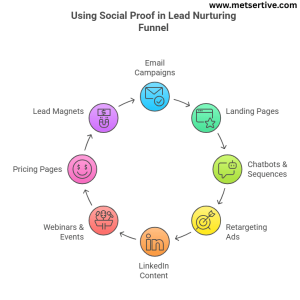
 

Whee to use social proof in lead nurturing funnel

  1. Email Campaigns

  • Where: Place testimonial banners or mini-case snippets mid-email or near CTAs.
  • Why it works: A quick perspective like “Our demo-to-conversion time improved by 30% thanks to this” adds real-world credibility.
  • Tip: Try A/B testing subject lines or email copy using your reviews—emails with quotes often get 20–30% higher CTR.
  1. Landing Pages (Pricing or Demo)

  • Where: Right next to ‘Get Started’ or ‘Book a Demo’ buttons—customer testimonials, star ratings, or trust logos.
  • Why it works: Prospects see proof just when they’re about to act—and trust seals the deal.
  1. Chatbots & Automated Sequences

  • Where: In conversation flows: “Client X saw results in 7 days.”
  • Why it works: As prospects chat, real stories reinforce trust in real time—no human needed.

Social proof acts as one of the most important trust signals for lead generation, especially when embedded into chatbots or retargeting      ads.

  1. Retargeting Ads & Paid Social

  • Where: Feature image of a happy customer, review quote, or before/after screenshot.
  • Why it works: Adding social proof in an ad makes it pop compared to generic brand messages.
  • Tip: Use dynamic ads showing different reviews tailored to products a visitor browsed.
  1. LinkedIn Content & DMs

  • Where: Include success stories in posts or one-to-one LinkedIn messages—like “XYZ achieved a 40% faster pipeline using this method.”
  • Why it works: Social proof shines bright in a professional network and feels less salesy.
  1. Webinars and Live Events

Where: During registration pages, in-event slides, and follow-up emails after webinars or live workshops.

Why it works: People are more likely to sign up or engage during live sessions when they see others have benefited. Including a testimonial like “This workshop helped us double our qualified leads” reduces skepticism and increases attendance and post-event conversions.

Tips:

  • Add 1–2 testimonials on the registration page near the CTA button.
  • Use a customer quote on your opening slide for credibility.
  • Post-event, include a mini case study in your thank-you email with the replay link.
  1. Pricing and Comparison Pages

Where: On your pricing page or “compare plans” page, next to feature tables or CTA buttons.

Why it works: Leads on pricing pages are evaluating purchase decisions. Seeing a relatable testimonial or result here builds trust at the decision point, easing concerns about cost and ROI.

Tips:

  • Use trust badges or short quotes like “Paid for itself in 2 months.”
  • Place testimonials from customers who chose a higher-tier plan to nudge up-sells.
  • A/B test testimonial placement to find the highest-impact spots.
  1. Lead Magnets and Download Pages

Where: On opt-in forms for guides, checklists, or free tools, and on the thank-you/download confirmation page.

Why it works: Social proof here reassures leads that the resource is valuable and worth exchanging their email for, reducing friction in list building.

Tips:

  • Use quotes like “This checklist saved us 10 hours in setup time” near download CTAs.
  • Add a mini case study on the thank-you page encouraging the next step, like booking a demo.
  • Combine social proof with urgency, e.g., “Join 5,000+ marketers who’ve used this to boost conversions.”

Adding genuine testimonials and case studies across your funnel helps you build trust with potential customers—especially when they’re still weighing their options.

How to Collect and Use Social Proof the Right Way

  1. Ask Post-Purchase or Post-Onboarding

Scenario: A SaaS company sends new customers a short email two weeks after activation:

“How’s it going? Mind sharing one thing you love so far?”

Insight: Within a month, they collect dozens of fresh quotes. One email quote—“It cut our customer follow‑up time in half”—gets featured in nurture emails and boosts demo bookings.

  1. Use Video Testimonials When Possible

Scenario: A marketing agency scheduled 15‑minute Zoom interviews with happy clients.

Example: These were edited into 45-second clips: “Thanks to them, we doubled our engagement.”

Insight: These clips were mashed into landing pages, email campaigns, and social stories—resulting in a 28% increase in conversion rate.

  1. Turn Survey Feedback into Quote Graphics

Scenario: After an e‑commerce workshop, participants are asked:

“What was your biggest win from the session?”
Responses like “We hit our first 4-figure week!” were turned into branded image cards.

Insight: Shared on LinkedIn, these visuals lifted post engagement by 5× and drove subscribers to sign up for the next session.

  1. Use the Right Tools

Scenario: A software startup implemented:

  • Endorsal to collect text + video testimonials
  • VideoAsk to prompt two-question video responses
  • Hotjar to capture heatmaps that added to qualitative feedback

Insight: They embedded these assets in onboarding sequences and saw a 15% drop in trial abandonment and a 12% bump in plan upgrades.

  1. Get Permissions & Stay Compliant

Scenario: A B2B consultant firm sends a gentle follow-up form asking:

“Can we share your success story? We’ll send over a draft before posting!”
Many clients happily agree, and it ensures GDPR compliance.

Insight: This transparency builds trust—not just with customers, but also with their legal teams—while keeping the firm protected and credible.

These real-world examples show how and where to get and use social proof smartly—so your collateral and campaigns stay authentic, compliant, and irresistibly persuasive. One of the most compelling ways to market your solution is by marketing with real customer stories that speak directly to your target audience’s pain points.

Common Mistakes to Avoid

Even the best social proof can misfire if used badly. Here’s what to skip to keep your systems sharp and effective:

  1. Using Outdated or Irrelevant Testimonials

What usually happens: You pop a 5-year-old quote under your latest email—hits like a ghost.
Why it hurts: People want to see recent relevancy, especially in fast-moving industries.
Fix: Refresh testimonials every 6–12 months or remove them if they no longer speak to what you offer now.

  1. Placing Proof in the Wrong Funnel Stage

What usually happens: You include a long case study in awareness emails.
Why it hurts: Early-stage leads aren’t ready for heavy details—they just need a reason to keep reading.
Fix:

  • Top of funnel? Use a quick stats snippet or influencer endorsement.
  • Bottom of funnel? Drop in full case studies near CTAs.
  1. Overusing Superlatives Without Specificity

What usually happens: Your site claims “best product ever”—but why?
Why it hurts: Clichés feel salesy and untrustworthy.
Fix:

  • Swap “best in the market” for “boosted our email opens by 32%”.
  • Use specific numbers, contexts, and even a story line.
  1. Ignoring Visual Formatting (Walls of Text = No Go)

What usually happens: You paste twenty testimonials back-to-back with no images or design.
Why it hurts: People scroll past blocks of text—they don’t read them.

Fix:

  • Break quotes into cards or quote bubbles
  • Use customer headshots or avatars
  • Keep each testimonial short—2–3 sentences max
  1. Using Proof Without Context

What happens: You drop a great testimonial… but it’s unclear what service or result it relates to.

Why it hurts: Prospects are left guessing: “Is this about the product I’m considering? How does it help me?”

Fix: Always include context: who the customer is, what they used, and what changed.

Example: Instead of just “Great results,” go for: “In just 3 weeks, our onboarding process was cut in half using [Tool Name].”

  1. Forgetting to Localize or Personalize

  • What happens: You show U.S.-based testimonials to your global audience or enterprise case studies to startups.

Why it hurts: Audiences tune out when they don’t see themselves in the message.

Fix: Segment proof by region, industry, or company size—and serve the right one at the right time.

Example: A lead from Australia sees proof from a fellow Aussie SME. That relatability increases trust tenfold.

  1.  Hiding Social Proof Below the Fold

What happens: Your best testimonials are buried at the bottom of your site or email.

Why it hurts: People may never scroll far enough to see them.

Fix: Bring your strongest proof higher—above the fold, near your CTA, or even in subject lines.

Example: Move a top quote from your case study footer into the email header or landing page hero for instant credibility.

Conclusion

Social proof isn’t optional—it’s essential.
When used correctly, it builds trust, adds authority, and shortens your sales cycle. The right testimonial at the right time makes someone say, “Hey, I can see myself doing that too.”

When used wisely, social proof becomes a cornerstone of B2B lead nurturing best practices, helping you build authority, reduce friction, and guide leads down the funnel. The right type of social proof, presented at the right stage, not only converts but helps you convert leads into loyal customers who champion your brand.

Want to go deeper? Check out our flagship “Nurturing Lead” guide and explore other helpful reads in the series, like:


The Ultimate Guide to Multi Channel Lead Nurturing

In today’s digital world, one touchpoint is rarely enough to win a customer. That’s why multi‑channel lead nurturing—engaging prospects across email, SMS, social media, retargeting ads, and live chat—has become essential for growing businesses.

Why does it matter for SMEs? Because it extends your reach, boosts engagement, and shortens the sales cycle. In fact, companies using 4 or more digital channels outperform single (or dual) channel users by a whopping 300% in conversions. That’s not theoretical—it’s real impact. In this guide, we’ll walk you through how to run an omnichannel lead nurturing campaign for SMEs, so you can reach prospects across email, SMS, retargeting ads, and more

This guide will unpack:

  • Why multi‑channel beats single‑channel nurturing
  • A breakdown of each core channel with proven tactics
  • How to integrate them seamlessly
  • Tech tools that tie it all together
  • And how to track performance like an analytics pro

Why Multi‑Channel Trumps Single‑Channel

Multi-channel lead nurturing is a key part of customer lifecycle marketing, ensuring you’re engaging leads not just once but at every critical stage of their buying journey

  1. Single Channels Create Gaps

Let’s face it—your audience doesn’t live in just one place. Sticking to a single channel (like email) often means missing people who simply don’t check their inboxes as often.

Example: A SaaS company sent out a free trial expiration reminder only via email—and saw minimal conversions. When they followed up with a LinkedIn DM and a retargeting ad, demo bookings jumped by 40% in just one week. One message, delivered differently, made all the difference.

  1. Avoid Message Fatigue

Hammering the same inbox over and over again doesn’t build trust—it builds friction. But spreading your outreach across multiple channels lets you stay visible without being repetitive.

Example: A small marketing agency switched from sending five email reminders about a webinar to using a mix of email, SMS, and Facebook reminders. Webinar attendance increased by 26%, and fewer people unsubscribed from their list.

Tip: Think of this like a conversation. You wouldn’t shout the same thing into someone’s ear 5 times. But if you gently mention it across different touchpoints, it feels natural.

  1. More Touchpoints = More Trust

People rarely convert after just one interaction. Multi-channel nurturing gives you more opportunities to build credibility through helpful, timely messages on the platforms your leads already use.

Example: A fitness brand used a mix of Instagram Reels, email drip series, and SMS tips to nurture leads who downloaded their free workout guide. Those exposed to all three channels were 2.3x more likely to buy a subscription than those who only got emails.

  1. Cater to Audience Preferences

Some people love LinkedIn messages. Others scroll Instagram between meetings. Multi-channel nurturing lets you respect user behavior and meet them where they’re most active.

Example: A B2B HR software company noticed Gen Z prospects were ghosting emails but responding quickly to Instagram Stories and live chat widgets. They adjusted their nurturing strategy accordingly—and reactivated 20% of “cold” leads.

  1. Better Lead Qualification

When a lead interacts across multiple touchpoints, they’re telling you something: they’re interested. Tracking this multi-channel behavior helps you identify and prioritize high-intent leads.

Example: An eCommerce tool tracked a user who opened an email, visited the pricing page via a Google ad, then chatted with support via live chat. That multi-channel engagement triggered a sales team handoff—and the lead converted within 48 hours.

Tip: Use scoring tools to assign higher value to leads engaging on more than one channel—they’re closer to buying than someone who just clicked once.

Core Channels Explained

A multi-channel strategy means meeting your audience wherever they are—email, SMS, social media, ads, or chat—and making each channel work together seamlessly.

1. Email

Still the backbone of Java nurturing.

  • Why it works: Ideal for drip sequences, longer content, drip nurturing, and education.
  • Example: Send a series explaining product features or signing up leads with educational content over 7 days.
  • Tip: Always include a clear CTA like “Start your free trial” or “Book a demo.”

Each channel plays a unique role at different lead nurturing funnel stages—email for education, retargeting for re-engagement, and chat for instant qualification.”

2. SMS

Fast, direct, and urgent.

  • Why it works: With a 98% open rate and 90% read within 3 minutes, SMS can quickly recapture attention
  • Example: “Forgot something? Your cart is waiting—here’s 10% off if you check out in the next hour.”
  • Tip: Send SMS reminders 30 minutes after cart abandonment, but cap frequency under two texts per week.

3. Social Media

Your thought leadership spotlight.

  • Why it works: Great for visibility, community building, and informal outreach.
  • Example: After a webinar, run an Instagram Stories poll about business challenges.
  • Tip: Promote key emails or offers through regular social media shares or posts.

4. Retargeting Ads

Visual reminders that stick.

  • Why it works: Ad retargeting flies with low-cost clicks—often 10x more effective than display noise
  • Example: Show a testimonial video ad to users who abandoned cart—but keep it light so it doesn’t feel creepy.
  • Tip: Allocate 10‑40% of ad spend to retargeting for better ROI

5. Chatbots & Live Chat

Real-time help, in the moment.

  • Why it works: People love instant answers. Chat shaves downtime and improves lead qualification.
  • Example: If someone visits your pricing page twice, trigger a chatbot: “Need help picking a plan?”
  • Tip: Combine a bot with human handoffs for warm leads—never leave them hanging.

How to Connect Channels Seamlessly

The real magic lies in coordinating channels, not just adding them.

 1. Use a Central CRM Hub

Platforms like HubSpot or ActiveCampaign let you orchestrate email, SMS, chat, and ads from one dashboard.

2. Trigger Smart, Not Spammy

Set up behavior-based sequences. For example:

  1. Lead opens email → then chatbot follows up
  2. If chatbot visits but doesn’t convert → send SMS 1 day later

3. Sequence Logic That Works

Create flows like:
Email → SMS Reminder → LinkedIn InMail
But avoid blasting all channels at once.

4. Avoid Channel Overlap Fatigue

  • Don’t stress leads with an email, SMS, and ad on the same day.
  • Use tone to match channel: casual in chat, professional in email.

Smart flows use behavior‑based triggers for email and SMS, like sending a cart‑recovery text when someone leaves items in their basket.”

Quick Integration Tips:

  • Email & SMS: Use both for critical reminders (trial expiration, cart recovery).
  • Ads: Target retargeting ads only after email failure.
  • Chat: Automate responses but let reps take over on complex questions.

By harnessing each channel for its strengths—and guiding communication through smart triggers—you build a nurturing engine that feels human, timely, and effective.

How to Segment Leads Effectively Across Multiple Channels

Different people prefer different ways of hearing from you. Smart segmentation ensures your messages hit the right inbox—or screen—at the right time with the right tone.

how to Segment Leads Across Channels

  1. Map Personas to Channels

Some leads respond best to one channel over another.

  • Example: Busy executives might ignore emails but pay attention to LinkedIn InMail, while younger buyers may reply through chat on your website.
  • Tip: Tag contacts with channel preference and track where they engage most.

     2. Segment by Data

Break your audience into thoughtful groups for smarter targeting:

  • Demographic: Job title, company size
  • Behavioral triggers: What they downloaded, pages viewed
  • Past interactions: Webinar attendance, demo requests

Example: Leads who clicked case studies but didn’t book a call get a special email + social ad.

  1. Use Content Readiness Markers

Gauge where people are in the funnel—who’s warming up, close to buying, or just browsing.

  • Light engagement: Opened emails or downloaded a freebie
  • Medium engagement: Watched webinars or interacted on chat
  • Heavy engagement: Asked for demo, visited pricing often

Tip: Tailor channel use to readiness:

  • Light -> Email drip
  • Medium -> Add SMS reminders or chatbot messages
  • Heavy -> Trigger a sales call or invite to join a paid webinar

     4️. Dynamic Preference Tags

What to do: Let your audience choose their preferred communication channel.

Scenario: After signing up, ask leads “How do you prefer to hear from us?” with options like Email, SMS, or LinkedIn DM.

Tip: Store this as a contact tag so future messages align with their preference—no one feels ignored or overwhelmed.

    5️. Engagement-Based Retargeting Groups

What to do: Create groups based on specific website behaviors.

Example: Leads who clicked on a pricing page belong to the “Pricing Interest” segment. These people get targeted LinkedIn InMails or retargeting ads with pricing comparisons or case studies.

Tip: Regularly update segments so new visitors get added automatically and obsolete ones don’t linger.

     6️. Recency and Frequency Filters

What to do: Segment by how recently and often someone engages with your content.

Scenario: A lead opened your email twice this week but only clicked once last quarter. Mark them as “Recently Active” and send them more timely or action-oriented messages.

Tip: Use your platform’s date-based filters to automatically segment them after defined thresholds (e.g., 3 opens in 7 days).

     7️. Predictive Behavioral Scoring

Going beyond demographics, behavioral segmentation helps you tailor messages based on actions like content viewed, emails opened, or links clicked.

What to do: Use your CRM’s built-in predictive scoring to surface high-intent leads across channels.

Example: A lead with a high intent score triggers a special multi-channel flow: a proactive SMS invite for a demo, an email detailing key benefits, and a LinkedIn follow-up from your sales team.

Tip: Combine predictive behavior scoring with manual rules (like lead source or job title) to avoid false positives.

Use lead qualification scoring to determine which channel is most effective for each segment—whether they’re hot leads ready for a demo or cold ones needing nurturing.

Tools & Tech Stack Recommendations

Here are the essential tools that enable true multi-channel nurturing—without breaking your budget or needing a tech team.

  1. CRM with Omnichannel Capabilities

Centralize communication:

  • HubSpot: Email, SMS add-on, chat, ads, CRM
  • ActiveCampaign: Powerful email, CRM, and behavior tracking
  • Sendinblue: Email, SMS, and chat in one platform

Tip: Choose a CRM that lets you view every lead’s touchpoints across channels.

     2. SMS Providers

Add quick hits of urgency or reminders:

  • Twilio: Developer-focused, highly customizable
  • SimpleTexting: User-friendly with pre-made templates

Tip: Stick to messaging frequency limits—no more than two texts per week.

     3. Paid Ads Platforms

Boost visibility with retargeting:

  • Google & Facebook/Instagram: Use dynamic ads for item reminders
  • LinkedIn Ads: Great for B2B offer dropoffs

Tip: Create a retargeting audience based on email or chat engagement—match channel signal to ad.

   4. Chat Tools

Capture leads and qualify instantly:

  • Drift: AI + live chat with account-based messaging options
  • Intercom: Great for SaaS support and conversational marketing

Tip: Program bots to ask quick qualifying questions before human handover.

   5. Integration Tools

Connect platforms seamlessly:

  • Zapier or Integromat: Automate actions (e.g., “If a lead books a demo in Calendly, send congrats SMS”)
  • Tip: Start simple—like adding leads to your email sequence when they fill a form—and build from there.

To tie everything together, you’ll need to invest in the best tools for multi‑channel marketing automation, like HubSpot or ActiveCampaign.

Platforms like ActiveCampaign and HubSpot aren’t just CRM solutions—they’re powerful marketing automation tools that allow you to build responsive, behavior-based campaigns.

Multi-Channel Lead Nurturing Campaign Examples

  1. Cart Abandonment Flow

Workflow:

  1. Email: “Looks like you left something behind…”
  2. 30-min later, SMS: “Use code SAVE10 to complete your purchase!”
  3. Next day, Retargeting Banner: Show product with offer reminder

KPIs to Track:

  • Email opens & CTR
  • SMS click-through rate
  • Banner ad impressions & purchase conversions

Example: A DTC brand used this combo and recovered 15% of abandoned carts—2× better than email-only reminders.

  1. SaaS Onboarding Sequence

Workflow:

  1. Email: “Welcome! Here’s how to get started in 5 min”
  2. 2 days later, LinkedIn InMail: Invite to connect and ask if they’d like a walkthrough
  3. Upon Visit to Feature Page, Chatbot Message: “Need help with this feature?”

KPIs to Track:

  • Email open and click rates
  • Replies to LinkedIn DM
  • Chatbot conversation starts
  • Feature activation and trial-to-paid conversions

Tip: This combo boosted their trial-to-paid rate by 27%.

  1. Re-Engagement Campaign

Workflow:

  1. Retargeting Ads: Show your latest product or offer
  2. Email Invite: Shared content or poll: “We miss you—what would help?”
  3. 2 hours after email, SMS: “Response didn’t go through? Quick check-in reply works too!”

KPIs to Track:

  • Ad click-throughs
  • Email open and reply rates
  • SMS responses or reactivations
  • Engagement uplift (opens, site visits, etc.)

Example: A small retailer reactivated 18% of dormant users with this flow—and without discounting.

  1. Webinar Reminder & Follow-Up

Workflow:

  • Email: “Join us tomorrow at 2 PM—don’t miss this session!”
  • SMS (1 hour before): “Our webinar starts in 1 hour—here’s your access link.”
  • LinkedIn Message (post-webinar): “Thanks for attending! Here’s the recording and slides.”

KPIs to Track:

  • Email opens and confirmations
  • SMS click-throughs to join link
  • LinkedIn message replies and follow-up engagement
  • Webinar attendance rate and post-event actions

Example: A B2B software provider achieved 30% higher webinar attendance using SMS reminders compared to email alone.

  1. Trial-to-Paid Conversion Sequence (SaaS)

Workflow:

  • Day 1: Welcome email with login and “Start here” video.
  • Day 3: In-app chatbot “How’s the trial going? Need help?”
  • Day 5: SMS “Your trial ends soon—get 20% off if you upgrade today!”
  • Day 7: Retargeting ad showing product features and pricing.

KPIs to Track:

  • Email and chatbot engagement rates
  • SMS click and conversion rates
  • Ad impressions and CTR
  • Trial-to-paid conversion percentage

Tip: Offering a time-sensitive discount via SMS often drives a spike in upgrades—short windows create urgency.

  1. New Feature Launch Outreach

Workflow:

  • Email: Announcement + “See it in action” video.
  • Social Post: Teaser demo with caption: “Watch how it transforms your workflow!”
  • Retargeting Ad: Retarget web visitors with a case study or tutorial.
  • Chatbot: “Want a deep-dive walkthrough? I can connect you to a specialist.”

KPIs to Track:

  • Email click-throughs to video
  • Social shares and post-engagement
  • Ad conversions to feature landing page
  • Chatbot conversations scheduled for demos

Example: A marketing tool’s retargeting campaign featuring their new dashboard resulted in a 50% increase in demo requests.

  1. Annual Plan Renewal Nudge

Workflow:

  • Email (30 days pre-renewal): “Your annual plan is set to renew—renew now and save!”
  • SMS (15 days pre-renewal): Reminder with direct payment link.
  • Email (7 days pre-renewal): Highlight added bonus or discount if renewed now.
  • Chatbot: Offer live chat to talk through plan benefits or upgrades.

KPIs to Track:

  • Renewal click-through and signup rates
  • SMS response and completion rates
  • Chatbot engagement and support tickets
  • Retention percentage vs prior year

Tip: Offer loyalty discounts via SMS—a quick personalization that often seals the deal on renewals.

Common Multi-Channel Pitfalls

Even the best automation can trip up—here’s what to watch for:


Common Pitfalls in Multi-channel lead nurturing

❌ Over-Messaging Without Coordination

Bombarding across channels feels spammy.

  • Tip: Use channel triggers, not duplicates. If you message via SMS, skip email the same day.

❌ Channel Cannibalization

Your own messages shouldn’t compete.

  • Tip: Stagger content. Social previews should amplify—not repeat—email content.

❌ Unconnected Reporting / Attribution

If tools don’t talk, you don’t know what works.

  • Tip: Tag everything with UTM codes and track in one dashboard or CRM.

❌ Missing Personalization Per Channel

Same message in chat, email, and LinkedIn can feel robotic.

  • Tip: Adapt tone and detail—quick update in SMS, helpful video link in email, story highlight on social.

Ignoring Channel-Specific Best Practices

Every platform has its own etiquette. What works on email may flop on LinkedIn.

  • Scenario: A SaaS company reused long-form email copy as a Facebook ad caption—result: poor engagement and wasted ad spend.
  • Tip: Tailor content format—SMS should be crisp, LinkedIn messages more personal, and emails value-packed.

❌ Delayed Follow-Ups That Miss the Moment

Timing is everything in nurturing. Waiting too long between touches can kill momentum.

  • Example: A B2B firm sent a demo replay email 5 days after the event—by then, most leads had lost interest.
  • Tip: Use automation to send reminders, thank-yous, or bonus content within 24 hours of key interactions.

❌ Failing to Test and Optimize

Set-it-and-forget-it doesn’t work with multi-channel flows. Without A/B testing, you risk guessing what works.

  • Tip: Test subject lines on email, image creatives in retargeting ads, or CTAs in SMS. Small tweaks can boost performance 2× or more.

Measurement & ROI

Tracking your multi-channel efforts—and proving their ROI—is critical. Here’s how to measure success across your campaigns: We’ll also show you how to measure ROI from multi‑channel marketing campaigns by tracking revenue per contact across your email, SMS, ad, and chat efforts.

  1. Attribution Models

Choose the right attribution model to credit where conversions are coming from:

  • First-touch: Credit the first channel (good for awareness campaigns)
  • Last-touch: Credit the channel that closed the deal
  • Multi-touch: Spread credit across multiple interactions—ideal for multi-channel flows

Example: A lead opens an email, views retargeted ads, and converts after an SMS reminder. All three contributed—consider using a multi-touch model.

   2. Metrics Across Channels

Here’s what to track for a complete performance picture:

  • Email: Open rate, CTR, reply/forward rates
  • Retargeting ads: Impressions, CTR, conversion rate (Cart recovered, trial started)
  • Chatbot/live chat: Messages started, questions answered, conversions from chat
  • SMS: Open and reply rates

Example: Your retargeting ads could get a strong CTR of 0.7%—10× more than display banners signaling strong resonance.

3. Uplift Tracking

Compare the performance of multi-channel vs single-channel campaigns:

  • Revenue per contact for multi-channel flows: total revenue / number of contacts
  • Single-channel revenue/cost ratio as baseline

Scenario: If you spend $2 in ad + email tools per lead and earn $50 on average, your ROI is 25–1. That’s hard to beat with just email alone.

Make sure to track campaign performance metrics like email CTR, ad impressions, chat replies, and SMS open rates to fully assess your impact.

Conclusion

Multi-channel lead nurturing gives SMEs an edge with richer connection, better engagement, and shorter sales cycles. Start smart:

  1. Pick 2–3 channels—email plus SMS and/or retargeting is a powerful combo
  2. Roll it out in stages; segment carefully and test triggers
  3. Monitor performance and refine based on opens, CTRs, ad clicks, chat replies, and revenue

Want to take it further? Check out our in-depth guides on Nurturing Lead and Drip Email Campaign Examples That Actually Convert.”


Drip Email Campaign Examples That Actually Convert

Let’s be honest—no one wants another newsletter in their inbox.

But a well-timed, relevant, and thoughtfully crafted email? That still gets opened, clicked, and remembered.

That’s exactly what email drip campaigns do. They’re not just automated sequences—they’re relationship builders. Whether you’re guiding a new subscriber, warming up a cold lead, or nudging a ready-to-buy prospect, a smart drip campaign meets them right where they are in the journey.

In fact, automated emails generate 320% more revenue than non-automated emails, according to Campaign Monitor.

So if you’re here looking for real-world examples that don’t just “nurture” but actually convert, you’re in the right place. But before we dive into those, let’s make sure you know what makes a drip campaign effective in the first place. A well-structured automated email sequence is the backbone of any effective lead nurturing strategy, especially when powered by smart email marketing automation tools

What Makes a Drip Campaign Effective?

Not all drip campaigns are created equal. Some nurture leads quietly in the background and steadily drive conversions. Others? They become inbox clutter—ignored, deleted, or worse, unsubscribed.

Here are the five key elements that turn a good drip campaign into a great one:

1️ It Starts with Smart Segmentation

You wouldn’t talk to a first-time visitor the same way you’d talk to a loyal customer—and your emails shouldn’t either.

Segmentation means grouping leads based on attributes like:

  • Stage in the funnel (e.g., awareness vs. decision)
  • Behavior (e.g., downloaded a guide, visited a pricing page)
  • Demographics (e.g., industry, company size)

Example: A SaaS company might send a beginner’s onboarding series to trial users, and a feature-benefits series to pricing page visitors.

Tip: Use your CRM or tools like HubSpot or ActiveCampaign to create behavior-based segments automatically.

2️ Each Email Has One Clear Purpose

Every email in a drip sequence should have one goal—not five.

It might be:

  • Encouraging a sign-up
  • Educating with a how-to guide
  • Pushing a CTA for a free trial

If you’re trying to sell, educate, and collect survey data in one email, it’s going to confuse your lead and dilute impact.

Pro Tip: Ask, “What’s the one thing I want the reader to do after this email?” Then build around that.

3️ The Timing Matches the Buyer’s Journey

Send too early, and you’ll scare them off. Send too late, and someone else might win the sale.

Drip campaigns work best when aligned with your average sales cycle and user behavior.

Example:
If your average B2B customer takes 30 days to convert, your drip might space 4–6 emails across that period—starting with awareness, then value-building, and finally, a CTA to speak to sales.

4️ They’re Designed to Educate, Not Just Sell

Effective drip campaigns build trust, not pressure. If every email is a pitch, your unsubscribe rate will spike.

✅ Mix up your content:

  • Share success stories
  • Explain key features
  • Offer educational resources
  • Ask for feedback or offer free tools

Tip: Use a 3:1 rule: Three value-packed or educational emails for every one promotional email.

5️ They’re Built on Real Behavior

The most effective drips don’t just guess—they respond.

Triggered emails or behavior-based automation let you send the right message when a lead does something meaningful, like:

  • Abandoning a cart
  • Clicking a pricing page
  • Downloading a case study

These signals show intent—and your emails should react accordingly.

Example:
If someone watches 80% of your product demo video, send them an invite to a one-on-one session 24 hours later.

Key Takeaway:
An effective email drip campaign is about timing, targeting, and trust. When all three align, your emails stop feeling like marketing—and start feeling like help.

 Top Performing Drip Email Campaign Types (with Real-World Examples)

Here’s where theory meets real-world strategy. Below are six drip campaign types that consistently convert when done right. Each one is tailored to a different audience and goal, making them easy to adapt to your own funnel.


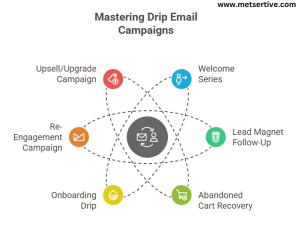
Drip Email Campaign types

 1. Welcome Series for New Leads

What it is:
An introductory email sequence triggered when someone joins your list for the first time.

Who it’s for:
New subscribers, leads from gated content, or sign-ups via your website.

Why it works:
It sets the tone, builds immediate trust, and educates your lead on your brand—while interest is high.

Suggested Email Flow:
Email 1: Warm welcome and intro to your brand’s mission
Email 2: Showcase success stories or testimonials (social proof)
Email 3: Deliver a lead magnet, tool, or an invite to book a call

KPI to Watch:
Open rate, click-through rate (CTR)

2. Lead Magnet Follow-Up

What it is:
A targeted sequence that kicks in after someone downloads a resource like an eBook, guide, or checklist.

Who it’s for:
Top-of-funnel leads who have shown early interest but aren’t ready to buy.

Why it works:
It builds momentum off a recent interaction and keeps your brand top-of-mind.

Suggested Email Flow:
Email 1: Thank you + link to resource
Email 2: Related content to deepen value
Email 3: Soft CTA (e.g., register for a webinar or request a free audit)

KPI to Watch:
Engagement rate, webinar signups, resource clicks

3. Abandoned Cart Recovery (for eCommerce)

What it is:
A nudge campaign for users who added items to their cart but didn’t check out.

Who it’s for:
eCommerce businesses targeting cart abandoners.

Why it works:
Cart abandoners are high-intent users—you just need to overcome friction (price, trust, timing).

Suggested Email Flow:
Email 1: Reminder with a visual of what they left behind
Email 2: Highlight product benefits or FAQs
Email 3: Offer limited-time discount + share a customer testimonial

KPI to Watch:
Recovered revenue, conversion rate, cart return rate

4. Onboarding Drip for SaaS or Services

What it is:
A product education sequence designed to help users activate and see value quickly.

Who it’s for:
New users, trial sign-ups, or recently onboarded clients.

Why it works:
Reduces churn and accelerates time-to-value—a key factor in SaaS success.

Suggested Email Flow:
Email 1: Welcome + Quick Start video or checklist
Email 2: Feature spotlight or use-case walkthrough
Email 3: Case study or testimonial
Email 4: Offer an upgrade or book a strategy call

KPI to Watch:
Feature adoption rate, activation rate, free-to-paid conversion

This is one of the best drip email campaign examples for SaaS, especially if your product has a longer learning curve and requires active onboarding.

5. Re-Engagement Campaign

What it is:
A last attempt to reconnect with inactive leads before pruning your list.

Who it’s for:
Subscribers or users who haven’t engaged in 30–90 days.

Why it works:
Sometimes, timing or priorities change. A nudge might bring them back before you lose them for good.

Suggested Email Flow:
Email 1: “We miss you” message with a reason to check back in
Email 2: New blog, offer, or industry insight
Email 3: Feedback survey or “Are you still interested?” CTA

KPI to Watch:
Open rate, reactivation rate, unsubscribe rate

6. Upsell/Upgrade Campaign

What it is:
A post-purchase or post-activation sequence to promote higher-tier offerings or complementary services.

Who it’s for:
Engaged customers or free plan users showing strong usage patterns.

Why it works:
These users already trust your brand—this drip just nudges them to deepen that relationship.

Suggested Email Flow:
Email 1: Celebrate a milestone or usage goal
Email 2: Share additional features or benefits of the upgraded plan
Email 3: Offer a time-sensitive upgrade deal

KPI to Watch:
Revenue per user, upsell rate, product usage

How to Automate These Campaigns (Tools to Use)

Manually sending emails based on behavior? That’s not scalable—and it’s why automation exists.

Whether you’re a solo founder or part of a lean marketing team, these Drip Email tools let you create smart drip campaigns that respond in real time, based on what your leads actually do.

 Top Email Drip Tools for Automation

  • Mailchimp – Great for small businesses looking for user-friendly email flows and templates.
  • ActiveCampaign – Excellent for behavior-based automation and CRM functionality under one roof.
  • HubSpot – Ideal for B2B businesses needing marketing, sales, and CRM all integrated.
  • ConvertKit – Popular with creators and coaches for its visual automation and tagging.

CRM Integrations Make Everything Smarter

The real power of email drip campaigns comes when they’re connected to your CRM.

When your CRM knows:

  • What your lead downloaded
  • Which page they visited
  • Whether they opened that email…

…your email platform can act on that information.

Tip: Tools like HubSpot and ActiveCampaign offer native CRM integrations, while Mailchimp can integrate with platforms like Salesforce or Zoho via Zapier.

Behavior-Based Triggers: The Secret Sauce

Here’s how drip automation can feel human (without requiring manual effort):

  • If user downloads a guide but doesn’t click the next email → send a case study.
  • If user visits pricing page twice in a week → send a CTA for a 1:1 demo.
  • If user abandons a cart → send discount email after 24 hours.

You’re not just sending emails—you’re responding to intent.

If you’re wondering how to automate email drip campaigns for small businesses, platforms like Mailchimp and ConvertKit offer simple trigger-based flows that don’t require coding.

Metrics That Matter

Let’s be honest: If you’re not tracking your results, you’re just guessing.

Here are the metrics that actually show whether your drip campaigns are converting or just cluttering inboxes.

  1. Open Rates

  • Measures how many people are opening your emails.
  • Strong subject lines and sender names impact this most.
  • Good benchmark: 30%–40% for well-segmented lists.

Test emojis, personalization, and timing to improve opens.

  1. Click-Through Rates (CTR)

  • Tells you how many recipients are engaging with your email content.
  • A strong CTA, clean layout, and focused messaging make all the difference.
  • Healthy CTR: 5%–10% for well-targeted campaigns.
  1. Conversion Goals

  • These are the true outcomes you care about:
    • Signing up for a webinar
    • Downloading a resource
    • Booking a consultation
    • Making a purchase

Set one clear CTA per email, and measure based on that goal.

  1. Lead Score Changes

  • If you’re using lead scoring, track how scores evolve after a drip campaign.
  • Higher score = more engagement = closer to conversion.
  • Great for aligning with your sales team on follow-up timing.

Use your CRM to assign points for every action: opens, clicks, replies, downloads.

 To gauge the success of your trigger-based email marketing flows, monitor not just open rates, but also micro-conversions like clicks to tutorials or feature adoption.

 Common Mistakes to Avoid

Even the best automation tools and email copy won’t save a campaign if the foundation is shaky. These common mistakes can tank your drip performance before it even starts:

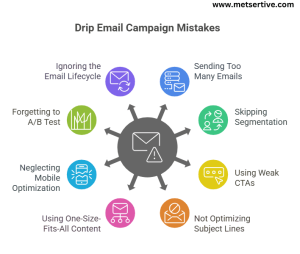
Drip Email Campaign mistakes to avoid

❌ 1. Sending Too Many Emails Too Soon

You’re excited. You want to follow up fast. But if you bombard new leads with emails every day, they’ll hit unsubscribe faster than you can say “nurture.”

Tip: Start slow—especially with cold leads. One email every 2–3 days often performs better than daily blasts.

❌ 2. Skipping Segmentation

If you send the same message to a brand-new lead and a repeat customer, you’re guaranteed to lose one of them. Maybe both.

Tip: Even simple segments—like “new subscriber,” “past buyer,” or “visited pricing page”—can dramatically improve relevance and results.

❌ 3. Using Weak CTAs

“Click here” is vague. “Learn more” is tired. A good CTA should give users a reason to act now.

Example:
Instead of “See our demo,” try “See how [company like theirs] doubled leads in 30 days.”

❌ 4. Not Optimizing Subject Lines

Your subject line is your first impression. If it doesn’t grab attention, the rest doesn’t matter.

Tip: Test subject lines with A/B splits. Keep it short, specific, and curiosity-driven. Use emojis or personalization—just not both every time.

5. Using One-Size-Fits-All Email Content

What works for a B2B SaaS lead won’t resonate with a retail customer. Generic content misses the mark because it assumes all leads have the same pain points and goals.

Scenario: Sending a product demo invite to someone who’s only read a blog post once.

Tip: Customize your email tone and messaging based on the lead’s stage in the funnel and prior behavior.

❌ 6. Neglecting Mobile Optimization

Over 50% of emails are opened on mobile—but if your formatting breaks, or CTAs are hard to click, you lose the lead.

Example: A beautifully designed desktop email turns into a cluttered wall of text on Mobile.

Tip: Use responsive templates, test across devices, and keep subject lines under 40 characters for mobile clarity.

❌ 7. Forgetting to A/B Test Key Elements

If you’re not testing your subject lines, CTAs, or email timing, you’re just guessing.

Example: Your open rate stays flat because the subject line sounds like spam—but you don’t know because you never tested alternatives.

Tip: Start with one variable per test—subject line, CTA button color, or send time—and monitor performance for 2–3 campaigns.

❌ 8. Ignoring the Email Lifecycle

Drip campaigns shouldn’t run forever. If you’re still emailing a disengaged lead 6 months later with the same pitch, it’s time to hit pause.

Scenario: A lead who never clicked past your welcome email is still receiving weekly content they don’t care about.

Tip: Set up sunset policies: if a lead hasn’t engaged in X days, move them to a re-engagement or exit sequence.

Conclusion

A great email drip campaign doesn’t just fill inboxes—it builds trust, educates with purpose, and gently leads prospects toward a clear decision.

Whether you’re onboarding a new user, reigniting a cold lead, or encouraging an upgrade, the key is timing, relevance, and personalization.

Once you build your first sequence, use email sequence templates to scale, and connect them to your CRM for full marketing funnel automation and drip campaign performance tracking.

Want to turn these ideas into a real strategy?

👉 Start with our core framework: Nurturing Lead to Close More Deals With Less Effort


What Is Lead Scoring and How to Use It Effectively

Let’s face it—no matter how many leads your business attracts, not all of them are ready to buy. Some are curious window shoppers, some are doing early research, and a few are hot and ready to make a decision. So, how do you know who to follow up with, and who to hold off on?

That’s where lead scoring comes in.

Lead scoring is a simple, powerful way to rank your leads based on how likely they are to become paying customers. It’s like having a compass that tells you which prospects are worth your time, and which ones need more nurturing.

For small and medium-sized businesses (SMEs), this is game-changing. When resources are limited, lead scoring helps you prioritize the leads that matter most, so your sales team isn’t wasting time chasing people who just aren’t ready.

And here’s the kicker: lead scoring is the missing link between lead generation and lead nurturing. It tells you who to nurture—and when. Without it, you’re guessing. With it, you’re strategic. Implementing an effective lead scoring system is crucial for small and medium businesses aiming to streamline their sales funnel optimization and enhance customer segmentation.

What Is Lead Scoring?

At its core, lead scoring is a system that assigns points to your leads based on certain criteria—like their behavior, engagement, and fit for your product or service. The higher the score, the more qualified the lead is.

Imagine this:

  • A lead visits your pricing page (+10 points)
  • They download an eBook (+5)
  • They open three emails in a row (+3)
  • They’re from your target industry (+7)

Total score = 25 points.
You can now compare that to your internal “sales-ready” threshold (say, 30 points) and decide what kind of follow-up makes sense.

🎯 Types of Lead Scoring Criteria

  1. Demographic data – e.g., job title, location, age
  2. Firmographic data – e.g., company size, industry, revenue
  3. Behavioral actions – e.g., email clicks, website visits, downloads
  4. Engagement history – e.g., webinar attendance, social media interaction

These signals help you paint a fuller picture of each lead’s potential.

🧠 Tip: Use both “explicit” and “implicit” data

  • Explicit data is what the lead tells you directly—like their company size or budget.
  • Implicit data is what you observe based on their behavior—like how many times they visited your case study page.

Both are essential for accurate scoring.

✅ Real-World Example:

Let’s say you’re selling CRM software. A lead who:

  • Works as a sales director at a 200-person company (explicit fit)
  • Attended your webinar and downloaded your ROI calculator (implicit behavior)

…is much more likely to convert than someone who just visited your homepage once.

That’s the power of scoring—it filters out the noise and keeps your pipeline focused.

By leveraging behavioral analytics, companies can assign scores to leads, distinguishing between marketing qualified leads (MQL) and sales qualified leads (SQL).

Why Lead Scoring Matters for SMEs

If you’re running a small or medium business, you know the struggle: not all leads are created equal, but they all demand your attention.

So how do you decide who gets a follow-up call today—and who’s better off in a long-term nurture sequence?

That’s where lead scoring earns its keep.

1. It Helps You Focus on High-Potential Leads

You probably don’t have a 20-person sales team. That means your time—and your team’s time—is precious. Lead scoring shows you who’s hot, who’s warm, and who’s just browsing.

Example:
A lead that watched your demo video, opened three emails, and requested pricing info should get your immediate attention. One that visited your homepage once? Maybe not just yet.

2. It Aligns Sales and Marketing (Finally)

Sales says, “We need better leads.”
Marketing says, “We gave you 200 this week.”

Sound familiar?

With a shared lead scoring model, everyone speaks the same language. Sales knows which leads are truly qualified. Marketing knows what it takes to move a lead from cold to warm.

✔️ Tip: Sit both teams down and define what a “sales-ready” lead actually looks like.

3. It Increases Conversion Rates

When you prioritize the right leads and engage them at the right time, you close more deals—without burning out your team or budget.

According to a study by MarketingSherpa, companies that use lead scoring see a 77% increase in lead generation ROI.

Now that’s a stat worth paying attention to.

Common Lead Scoring Models (and Which One You Should Use)

Lead scoring isn’t one-size-fits-all. In fact, there are several ways to do it—and the right model depends on your business goals, tools, and buyer journey.

Let’s break them down:

1. The Point-Based Model (Most Common)

This is the classic approach.
You assign points based on specific actions or attributes.

  • +10 for visiting your pricing page
  • +5 for opening an email
  • +15 for booking a demo
  • -10 for unsubscribing from your newsletter

You set a threshold (say, 50 points), and once a lead hits it, they’re passed to sales.

Tip: Use your CRM or marketing automation platform to auto-score leads. Tools like HubSpot, Zoho, and ActiveCampaign make this easy.

2. Fit + Interest Model

This model blends:

  • Fit = how well a lead matches your ideal customer (job title, industry, company size)
  • Interest = how engaged they are (website visits, downloads, webinar signups)

It helps you separate:

  • Good fit + high interest = hot lead
  • Good fit + low interest = nurture more
  • Bad fit + high interest = may not be worth chasing

3. Predictive Lead Scoring (Advanced)

Predictive Lead Scoring uses machine learning and AI to analyze patterns in your data and predict which leads are most likely to convert. It’s powerful—but often overkill for SMEs just starting out.

✅ Best for: companies with large lead volumes and data teams.
❌ Not ideal if you’re new to lead scoring or don’t have a CRM packed with historical data.

4. Demographic-Based Lead Scoring

Not every lead fits your ideal customer profile—and that’s okay. But the ones who do should score higher.

This model focuses purely on the attributes of the lead or company—things like industry, job title, location, or company size. It works well for businesses that sell to specific niches (e.g., SaaS companies targeting HR managers in tech firms).

✔️ Example:

  • +10 for job title = “Marketing Director”
  • +8 for company size = 50–200 employees
  • +5 for location = North America
  • -5 for job title = “Student” or “Intern”

Tip: Use this model when your product is highly tailored to specific roles, industries, or regions.

 5. Negative Scoring Model

Scoring shouldn’t just reward good signals—it should also detect when a lead is cooling off.

The negative scoring model subtracts points for behaviors that suggest disinterest or poor fit. It’s especially helpful for keeping your pipeline clean and preventing “false positives” (leads that seem active but aren’t serious buyers).

✔️ Example:

  • -10 for email bounce
  • -5 for visiting careers page (job seekers, not buyers)
  • -7 for no engagement in 30 days
  • -10 for unsubscribing from email list

Tip: Combine this with your existing scoring system to balance out the hype and bring more accuracy to lead readiness.

6. Time-Decay Lead Scoring Model

Interest fades. If your scoring system doesn’t account for time, you’re treating yesterday’s news like a breaking story.

Time-decay scoring gradually reduces a lead’s score if they haven’t engaged in a while. This model helps you focus only on active, high-intent leads and avoid wasting sales resources.

✔️ Example:

  • -5 after 14 days of inactivity
  • -10 after 30 days
  • -15 after 45+ days without engagement

Tip: Automate decay logic in your CRM so leads naturally drop in priority unless they re-engage.

How to Build a Simple Lead Scoring System

You don’t need fancy AI or a data science team to get started with lead scoring. In fact, many high-converting businesses begin with a basic, spreadsheet-based system.

Lead Scoring System Cycle

Here’s a simple, step-by-step framework to get you rolling:

🔹 Step 1: Define Your Ideal Customer Profile (ICP)

Start by identifying what a “perfect-fit” customer looks like for your business.

✔️ Example Criteria:

  • Industry: SaaS or service-based
  • Job Title: Marketing Manager or CEO
  • Company Size: 10–100 employees
  • Region: North America or EU

Tip: Interview your top customers or analyze your CRM to find patterns.

🔹 Step 2: Identify High-Intent Behaviors

What actions tell you someone is truly interested? These are the “conversion clues” you’ll score.

✔️ Examples of High-Intent Behavior:

  • Downloading a lead magnet (+5)
  • Visiting your pricing page (+10)
  • Signing up for a webinar (+7)
  • Returning to your website 3+ times in a week (+8)

Tip: Start with 5–7 behaviors and refine as you gather data.

🔹 Step 3: Assign Point Values

Now assign point values to each behavior and attribute.

Action

Points

Opened an email
+2
Clicked a CTA in an email
+3
Downloaded a guide
+5
Attended a webinar
+7
Visited pricing page
+10
Filled out contact form
+15

Tip: You can also assign negative points for low engagement (e.g., -5 for unsubscribing).

🔹 Step 4: Determine a Sales-Readiness Score

Set a score threshold that tells you when a lead is “ready for sales.” For many SMEs, this might be 30–50 points.

✔️ Example: Once a lead hits 40 points, they’re sent to a rep for a discovery call.

Tip: Adjust the threshold based on your average sales cycle and conversion rates.

🔹 Step 5: Use a CRM or Spreadsheet to Track

If you’re just starting out, a Google Sheet will do the trick. But to scale, use CRM platforms like HubSpot, Zoho, or ActiveCampaign to automate tracking and scoring.

Pro Tip: Set up email alerts or Slack notifications when leads cross your sales-readiness threshold.

🔹 Step 6: Test Your Model with Historical Data

Before going live, validate your scoring system against past leads.

✔️ Example: Look at leads who converted last quarter. Do their behaviors match your current scoring values? If top customers consistently scored lower than your “sales-ready” threshold, it may need adjusting.

Tip: This helps fine-tune point weights and ensures your model reflects real buyer behavior.

🔹 Step 7: Set Up Alerts and Automations

Scoring is most powerful when it’s automated and actionable.

✔️ Use your CRM or marketing platform to:

  • Send alerts to your sales team when a lead crosses the readiness threshold
  • Trigger tailored email sequences based on score brackets
  • Notify marketing if a lead cools off and drops below a threshold

Tip: Automations help move leads through your funnel faster—and more efficiently.

🔹 Step 8: Review and Optimize Monthly

Lead scoring isn’t “set it and forget it.” Your business—and buyer behavior—evolves.

✔️ Schedule a monthly or quarterly review to:

  • Analyze conversion rates by score range
  • Adjust point values based on new insights
  • Add new behaviors as your marketing channels grow (e.g., webinar replays, chatbot engagement)

Tip: Collaborate with both sales and marketing in this review to keep alignment sharp.

Utilizing CRM software like HubSpot or Zoho can simplify the process of setting up a predictive lead scoring model tailored to your business needs.

Tools and CRMs for Lead Scoring

Choosing the right CRM can simplify lead scoring and make it easier to scale. Here are four platforms that work well for SMEs and mid-size teams:

1. HubSpot

✅ Built-in lead scoring
✅ Drag-and-drop automation workflows
✅ Easy to integrate with email and sales pipelines

Why it’s great: HubSpot’s free CRM is user-friendly and powerful enough for growing teams. It also lets you create scoring rules based on both behavior and contact properties.

2. Zoho CRM

✅ Custom scoring rules
✅ Strong contact management features
✅ Affordable for small businesses

Why it’s great: Zoho lets you automate scoring based on specific actions like website visits or email opens—ideal for SMEs looking for customization on a budget.

3. Salesforce Pardot

✅ Advanced lead scoring and grading
✅ AI-powered insights
✅ Deep integration with Salesforce Sales Cloud

Why it’s great: Pardot is best suited for B2B companies with complex sales cycles. If you’re already using Salesforce, it’s a natural extension.

4. ActiveCampaign

✅ Easy-to-use automation builder
✅ Behavioral-based scoring
✅ Integrated email marketing & CRM

Why it’s great: ActiveCampaign is great for marketing-first teams who want email + scoring + nurturing all in one dashboard.

🧩 Tip: Look for CRM Integration

Selecting the right CRM tools for lead scoring is essential; platforms like Salesforce Pardot offer robust features for tracking and evaluating lead interactions.

Make sure your chosen tool integrates smoothly with your website forms, email platform, and sales pipeline. This ensures lead scoring happens in real-time—not manually.

Real-World Examples

Let’s bring all this theory to life. Here are few examples of how lead scoring works in practice—and how it helps businesses focus where it matters most.

Scenario 1: A B2B SaaS Company Using Webinar Engagement

Webinar attendance isn’t just a sign of interest—it’s a strong buying signal.

A B2B SaaS company hosts monthly product webinars. They assign lead scores like this:

  • +10 for registering
  • +15 for attending live
  • +5 for asking a question
  • +20 for booking a demo afterward

One attendee, Jane, signs up, attends, asks two detailed questions, and books a call—earning 50 points in total. Their CRM (HubSpot) automatically flags her as “sales-ready,” and a rep follows up within hours.

Takeaway:
Engagement-based scoring can help you identify high-intent leads faster and close warmer deals.

Scenario 2: E-commerce Store Prioritizing Cart Abandoners

Not all window shoppers are worth chasing—but some are almost at checkout.

An e-commerce brand selling eco-friendly skincare uses lead scoring to track site behavior:

  • +5 for viewing 3+ product pages
  • +10 for adding items to the cart
  • +15 for abandoning the cart
  • +10 for clicking on a retargeting email

When a lead reaches 40 points, they automatically receive a personalized SMS:
“Hey! You left something behind. Here’s 10% off your first order—just for you.”

Result: A 17% recovery rate on abandoned carts and a 20% lift in email open rates from warm leads.

Scenario 3: An Online Course Business Qualifying Signups

Not every email subscriber is ready to enroll—but some are already halfway there.

An online course creator tracks behaviors that indicate genuine learning intent:

  • +5 for signing up for a free course
  • +10 for watching 75% of a video lesson
  • +7 for joining a live Q&A session
  • +10 for visiting the checkout page

A lead who completes two free lessons and joins the live webinar gets flagged at 32 points, triggering a limited-time discount email sequence.

Tip: Educational businesses can use video completion and content depth as powerful engagement signals.

Scenario 4: A Healthcare SaaS Provider Targeting Medical Practices

Healthcare buyers are cautious—scoring helps spot the ones ready to move.

A B2B healthcare platform assigns points based on both role relevance and compliance needs:

  • +8 for job title “Operations Director” or “Practice Manager”
  • +10 for downloading a HIPAA compliance checklist
  • +12 for attending a product webinar
  • +5 for revisiting the pricing page within a week

Once a lead crosses 35 points, they’re routed to a sales specialist who offers a tailored compliance walkthrough.

Tip: Niche industries should focus on role-specific content and pain-point behaviors.

Scenario 5: A B2B Services Agency Targeting Mid-Market Clients

The right company size and the right engagement combo equals a hot lead.

A digital marketing agency uses fit + behavior scoring:

  • +10 for company size over 50 employees
  • +8 for downloading their case study
  • +6 for scheduling a free consultation
  • +5 for visiting the blog 3+ times in a week

A lead from a 75-person company books a call and reviews two service pages, reaching 29 points—just above the sales-readiness line. A custom proposal is sent within 48 hours.

Tip: For agencies, blend firmographic filters (company size, industry) with engagement signals for precision targeting.

Mistakes to Avoid

Even the best systems can go off track if you’re not careful. Here are four common lead scoring mistakes—and how to avoid them.


Lead Scoring Mistakes to Avoid

Mistake 1: Overcomplicating the Scoring Model

Trying to score every possible detail usually leads to confusion—not clarity.

When your model has 50+ scoring rules, it becomes harder to manage and trust. Focus on 5–10 core actions that best predict buying behavior.

✔️ Tip: Start simple. You can always refine your model later based on performance data.

Mistake 2: Not Aligning with the Sales Team

If marketing thinks a lead is hot, but sales disagrees—you have a misfire.

Lead scoring should be a shared framework between sales and marketing. Define what “sales-ready” means together and revisit the criteria often.

✔️ Tip: Use feedback from sales calls to improve your scoring logic (e.g., “Leads from webinars close faster”).

Mistake 3: Failing to Update the Model Regularly

What worked last quarter may not reflect your current buyer behavior.

If your content or strategy changes, so should your scoring rules. Leads that convert today may follow different paths than six months ago.

✔️ Tip: Review scoring rules quarterly and adjust based on funnel conversion trends.

Mistake 4: Ignoring Lead Decay

A lead who clicked your email three months ago isn’t “hot” anymore.

Without lead decay (subtracting points over time), your system may keep old leads looking artificially active.

✔️ Example: Subtract 5 points if a lead hasn’t visited your site or opened an email in 30 days.

Mistake 5: Using Only Marketing Data

Relying solely on website or email behavior gives you half the picture.

If your scoring model ignores sales input or offline conversations, you’re missing critical signals. For instance, a verbal confirmation during a discovery call may indicate a higher readiness than a click ever could.

✔️ Tip: Combine marketing data with sales insights to create a well-rounded scoring system.

Mistake 6: Not Testing and Validating the Model

If you’re not testing your scores against actual conversions, you’re guessing.

Lead scoring should evolve through data. What you think signals purchase intent might not reflect what’s happening in your funnel.

✔️ Tip: Review top converting leads each month—do their scores align with your expectations?

Mistake 7: Treating All Leads the Same Post-Scoring

Scoring is just the start—what you do with that score matters even more.

Some businesses score leads but still send all of them the same content or offers. That defeats the purpose.

✔️ Tip: Create different nurture paths for hot, warm, and cold leads—each with tailored messages.

Mistake 8: Setting the Sales Threshold Too High (or Low)

If your threshold is off, you’ll either miss out or overload sales with poor fits.

Some teams set unrealistic thresholds that most leads never hit, while others flood sales reps with weak leads.

✔️ Tip: Revisit the scoring threshold monthly. Track which score ranges actually convert into paying customers.

Neglecting to define clear lead qualification criteria can result in misaligned sales efforts and missed opportunities.

Conclusion

Lead scoring isn’t just for big brands with massive CRMs—it’s one of the most effective, low-cost ways for SMEs to qualify leads, prioritize follow-ups, and boost close rates without wasting time or effort.

When done right, lead scoring helps you:
✅ Focus on the right leads
✅ Align sales and marketing
✅ Build scalable, automated nurturing funnels
✅ Improve your ROI from every campaign

Understanding various lead scoring models and techniques empowers businesses to prioritize leads effectively, ultimately improving sales conversions

Now that you know who to prioritize, here’s how to nurture leads effectively